Prototyping with AI that knows the product
PMs had started prototyping with tools like Lovable, Google Stitch and Claude Design. Even though the results conveyed the idea, they looked and worked nothing like our product. I couldn’t stop them from experimenting, so I decided to enable them to prototype with our components and follow the patterns and design principles we had already set as a design team.
During an AI experimentation week in spring 2026, I tried to build a prototyping platform for them.
A custom prototyping platform: effective, but slow
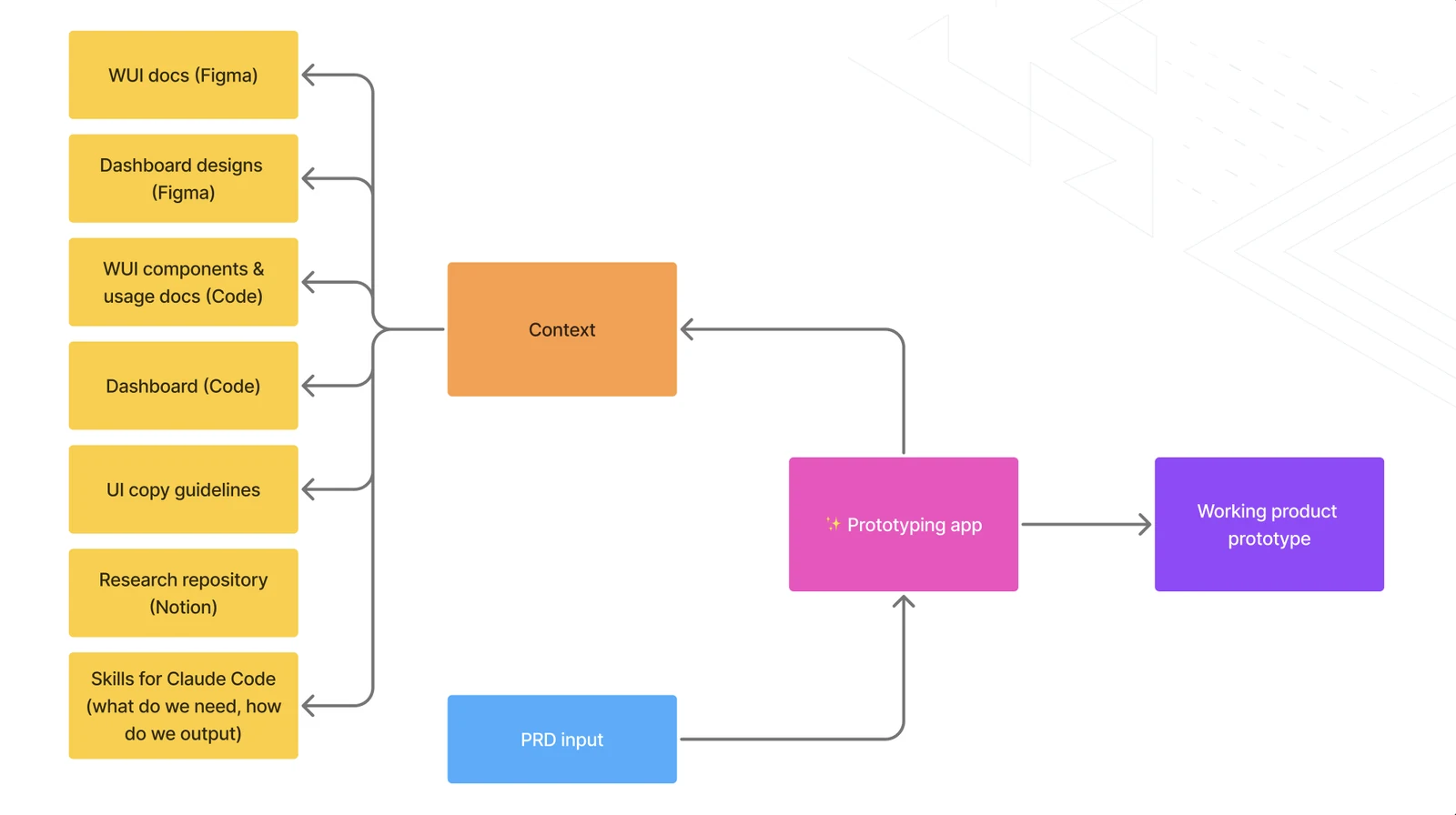
I tried doing it purely with vibe coding, and I asked Claude Code to work in a toolset close to our existing dashboard - a React app that used our WUI components and learned from the dashboard codebase. A PM would give it a PRD to start with, and it worked with the product context that we also used: the WUI documentation and the dashboard designs in Figma, the WUI components codebase and their usage documentation, the dashboard in code, the UI copy guidelines we created as a skill, our research repository in Notion, and design skills for Claude Code that defined what the app needed and how to output it. The context also included our personas and product strategy.
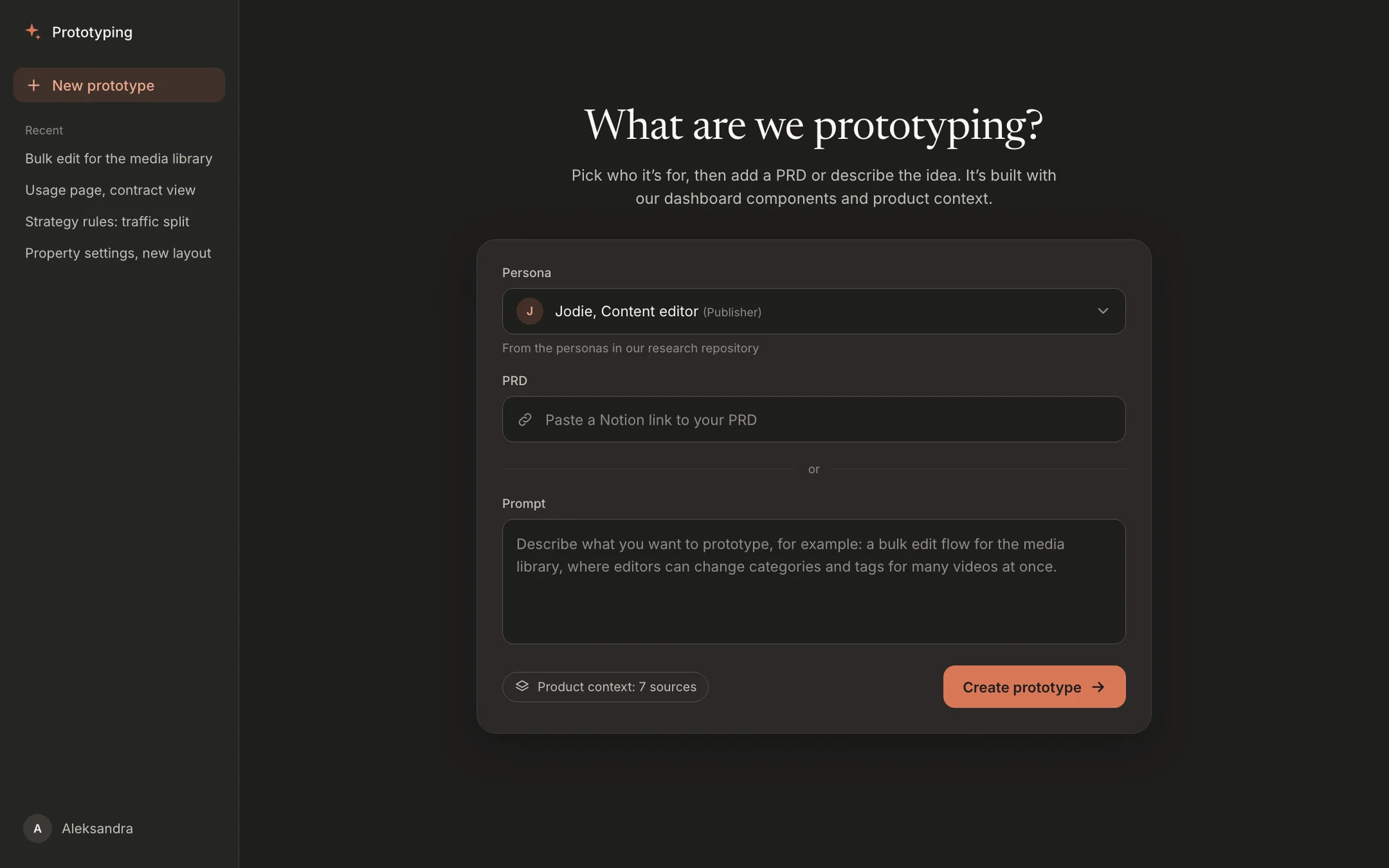
And it worked! But generating screens was very slow (at least 5 to 10 minutes), and the patterns it used were clearly not drawn from the existing codebase. The screens were also way off the existing product, although the platform did offer new patterns that the team could keep exploring and that still looked like our product and design system.
My guess is that the slowness came from the “nested” prompting, which added complexity and didn’t work as smoothly as prompting directly in Claude Code’s terminal or app. The context could also be optimized, and the tools have likely improved since then. I’m sure I could make it work better with some engineering help, but at that point I decided to use Claude Code directly to build prototypes, instead of building a tool that builds prototypes.
Working with a codebase branch
So I tried the simplest thing: a draft branch from develop in the dashboard codebase. It contained everything the production dashboard did and used the same technical stack, and I could also merge any changes the engineers were working on at the time. Where there were no existing endpoints, I mocked JSON data.
The result was much closer to the product, as expected. I only needed to fix small things in the layout and correct how it used some components, and I added those corrections to the component documentation, so future prototypes start from them.
The branch was marked as Draft in GitLab and named “[prototype] …”. GitLab automatically generated a preview link, which was shared in the branch or in the connected Jira ticket, as with any other feature development ticket.
I tried it on a real prototype that was difficult to recreate in Figma, and it worked really well: it recognized our list pages and detail pages, used the right components, and extended existing screens with new functionality. It did need some fine tuning, but the results were much closer to how a designer would build a prototype.
A prototyping platform
A draft branch of the real codebase
Corrections to component usage go back into the component documentation
What I’d do next
I was the only one who used the branch, but anyone could check it out and continue working on it. What’s missing is an easy setup for Product Managers. Besides access to the GitLab repository (to be added to the team), they also need to work with Claude Code installed locally and fed with the product context.
This is what I’d try next:
- Put the product context in the branch. A
CLAUDE.mdfile with the personas, strategy, component usage rules and the corrections collected so far would load automatically, so PMs wouldn’t need to feed Claude Code anything. - One command to start. A setup script or a Claude Code command that creates the draft branch from develop, installs the dependencies and starts the app with mocked data, so PMs don’t need to know Git.
- A first prototype together. As usual, I would first test it with other people: one session where we build a first prototype with the PM and put any component corrections straight into the documentation.
I would either work on improving the platform and optimising it with engineers, or enable other roles to work with the codebase and Claude Code. Either way, it would be a much easier way to build prototypes than recreating every possible detail in Figma. I would still take the result back to define all the details and write down design decisions for an engineering handoff, but this was very close to the way we would naturally work.
Looking back
The closest thing to the product was the product’s own codebase. A separate platform would be great, but for our use case it added a layer of complexity without adding fidelity. The corrections I made on the branch improved the documentation, so any prototypes built in the future would start better. That was enough as an experiment, but I’m sure it can be built properly to work better for teams in the future.