Design leadership
I’ve been building and leading design teams since 2012: first the UX Office at Netcetera in Macedonia, then design teams through an acquisition and a merger across three countries at JWX.
I found my style in what people call a “servant leader”. I consider my job to be an enabler of my team: they should do the work and take the credit for it. I try to find their best traits and emphasize them, and to allocate them to work where they can shine.
At Netcetera: building the UX Office
I joined Netcetera at the end of 2010 as its first employed web designer. Two years later, together with Marcel Kessler, an engineer from Zurich with a master’s in interaction design, we established the UX Office. Over the following nine years it grew to a team of up to 25 people.
I managed the office in Macedonia. At first it was one team, and as it grew I promoted two team members to take over team leading, with Team Leader as the formal role. That made a two-level organization of 15 designers and design engineers, part of an international community of up to 25 UX experts across three countries. I was also involved in building the company’s culture and in the local seminar organizing committee.
Hiring
Our projects were service-based, so most designers worked on their own, and only on rare occasions did two or three of us work together. To suit the project profiles, I looked for the old kind of “web designer” role: people with broad skills who could work on both the UX design and the frontend engineering side, and who had built their skills broadly, from UX research on one side to clean, accessible frontend code on the other. The roles were named “UX designer” and “UX engineer”. We joked that they were “unicorns”, which was not far from today’s role of design engineers, who are gaining traction as AI tools become more common.
We also ran regular summer internships, and when we opened new positions, the interns had an advantage over other candidates.
The challenge
The biggest struggle was allocating people to projects. Depending on the project’s budget, someone could be on one to three projects, and they rarely worked together. When they did, we saw immense growth and an improvement in the quality of the work we delivered. Despite the challenges, the company culture and the team spirit were on a high level, so the retention rate was very high: most people stayed for five years or more.
At InPlayer: how we organized the design team
In 2022 I wrote down how we organized the design team at InPlayer, in an article on the company’s tech blog. Four product designers each worked in a cross-functional team with a product manager and engineers, while a Core team owned the design system and the redesigned dashboard.
At JWX: adapting to change
I became part of JW Player along with the Macedonian team in InPlayer’s acquisition, and I was assigned the role of manager of the merged team. We started with one designer embedded in each product team that had to work on the customer dashboard. When the team was downsized, that stopped working, so each designer took on projects across several teams and product groups.
Each designer had a focus project, usually a “Spotlight” that was important for the product, working closely with the team’s Product Manager (PM) and Engineering Manager (EM). I matched design capacity to the organization’s priorities, and I was also the product manager of the Core team.
Working across three countries
Our designers were in three countries, and we only had a shared window from 3 to 5 pm CET (9 to 11 am EST), so finding a slot for a meeting was difficult. It also worked in our favor: team members in the USA could run interviews and usability tests with customers at later hours. Sometimes the European team members jumped in on a later call, but only if they wanted to. We tried not to have late meetings unless they were really necessary, and to keep a work-life balance.
Capacity and the buddy system
After JW Player merged with Connatix, I got to manage 5 new designers. Team members didn’t know each other, and across the company there was an “us versus them” narrative, so I started a “buddy system”. I paired one former JW Player designer with one former Connatix designer for regular 1:1s, where they could share what they were working on, which also broadened their knowledge of the products. It helped the two groups connect faster and build one team culture.
The capacity of the team changed, but so did our Product and Engineering organization. Almost every quarter we had to regroup and reassign projects to people, but I tried to keep the knowledge sharing flowing in case anyone had to jump in on their buddy’s project.
Partnering with product and engineering
We did research together with the PMs, and included the EMs as early as possible, before we even started thinking about solutions. We always checked what was feasible and what the trade-offs of specific solutions would be. We had product meetings and a Slack channel, and each designer took part in all the ceremonies of the team they were currently working with.
Rituals and calendar
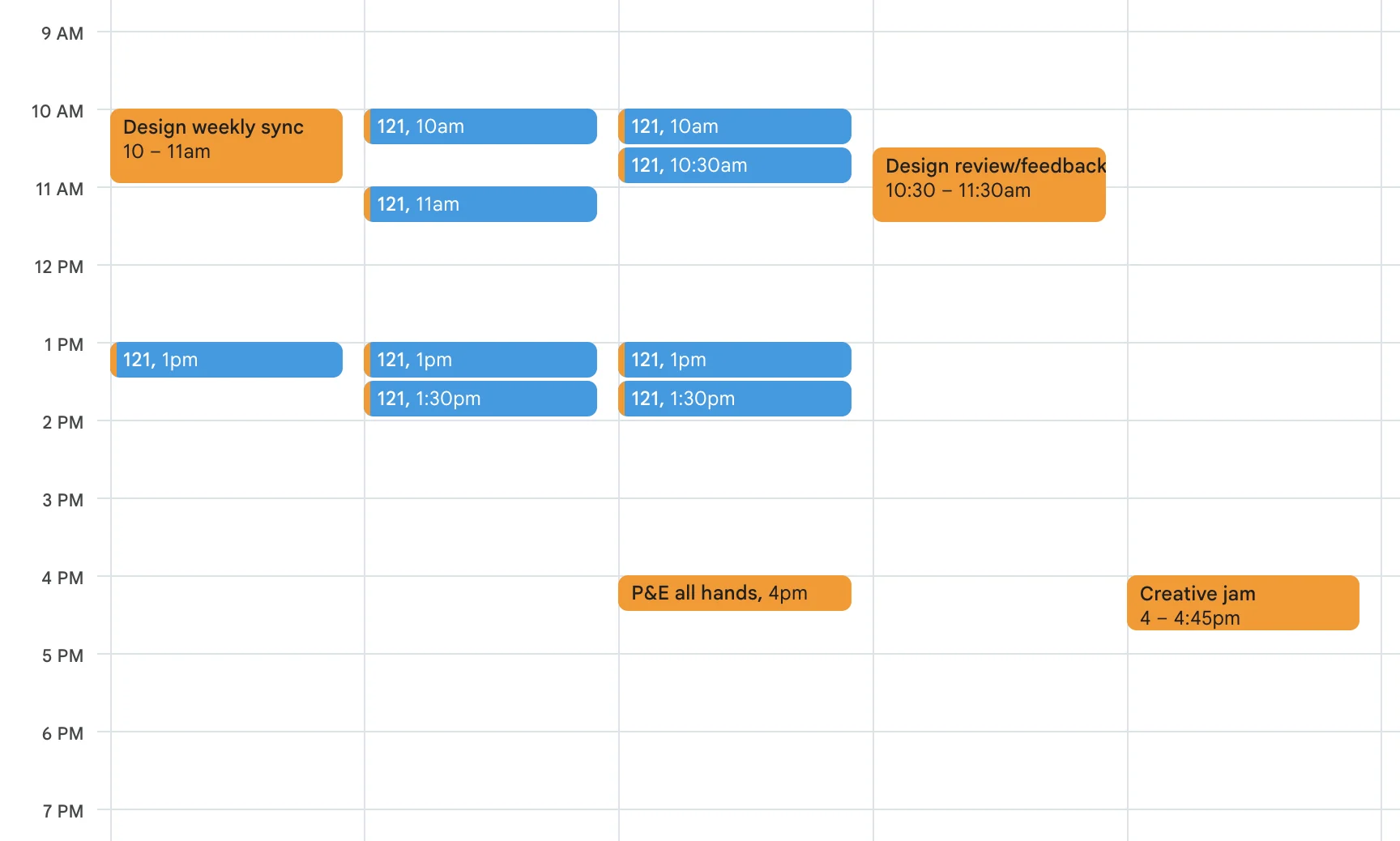
These are the recurring meetings at JWX.
- Weekly sync I kept this meeting going every Monday, as it was established at InPlayer by the CPO. Besides what we did last week and what we would do this week, everyone shared what they had learned, whether they needed help, and what they were looking forward to. There was also an Inspiration round, which was mostly “how was my weekend” and built a personal connection in the team.
- Review and feedback Once a week, every Thursday. Anyone with a concept or final designs to show prepared the team with the context: the problem we were solving, for which persona, at which stage of ideation, and what kind of feedback they needed on which parts of their design. That kept the conversations focused. We also went through components, so anyone with a proposal to change or add one presented it and the whole team was kept informed. Reviews ran from the most general to sweating the details, with room for broader strategic conversations.
- 1:1s I met each team member every week when we started, to get to know each other, and every two weeks once we did. The time belongs to the team member, who can choose what to talk about: casual talk, a strategic walkthrough, career growth, design feedback or pair designing.
- Creative jam Every other Friday. The team had this meeting before I took over as a manager, and I liked the idea and kept it. We tried new tools, shared knowledge from conferences or other educational courses, or just played creative games together. It was the most casual and fun meeting, and the team chose its agenda.
- With leadership and engineering I also had regular 1:1s with my manager and the group product leads, and once a month with our CEO, to sync on the overall strategy. We had regular syncs with the Core Web Services team, who owned the design system code, and occasional syncs with all frontend engineers, especially while building the design system.
Templates and documents
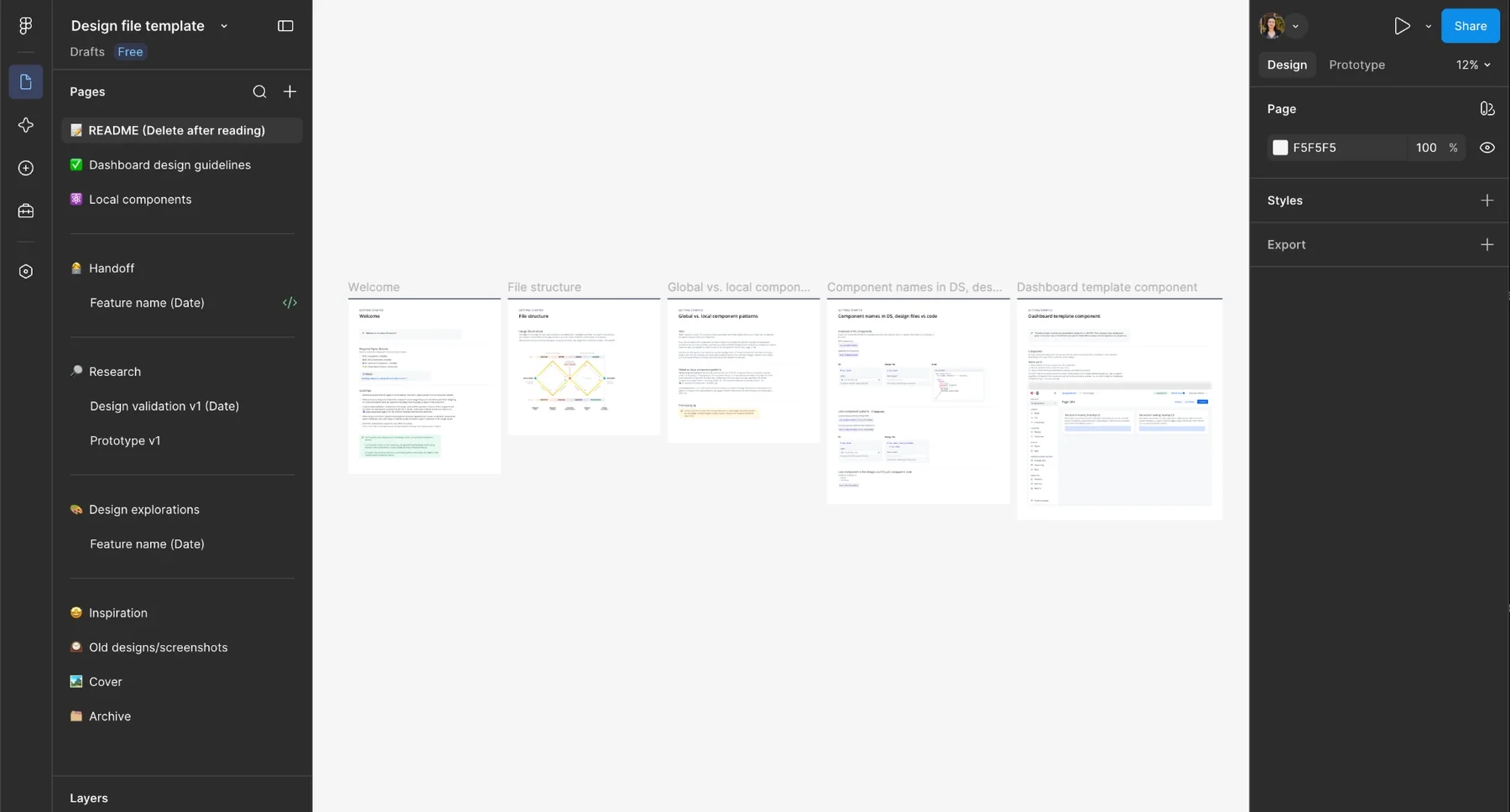
Shared templates meant designers knew where to start and collaborators knew where to find what they needed. At InPlayer, each initiative had a living design document covering the business case, research, designs and estimates, with a RACI matrix to clarify ownership. The RACI matrix didn’t work as well at JWX, but we kept to similar lines.
Cross-team decisions on components, tokens and UX patterns went into a design decisions document in Notion, updated weekly. Later on, we started adding those decisions to the coded component documentation as well, so that AI agents can pick them up. We also had templates for research plans, interviews, journey maps, research and usability reports, design critiques, component tasks with checklists, and handoff documents.
We built a research repository in Notion and set communication, collaboration and research guidelines, including shared artifacts such as personas. A designer could find everything mentioned above there.
Working Figma files
A working file contained, from the bottom upwards: ideation and inspiration, a separate section for experimentation and gathering internal feedback, a section for usability testing prototypes and iterations, detailed handoff documentation for frontend engineers, and local components and helpers. By having the handoff at the top, product and engineering could always find the latest version of a file.
Workshops
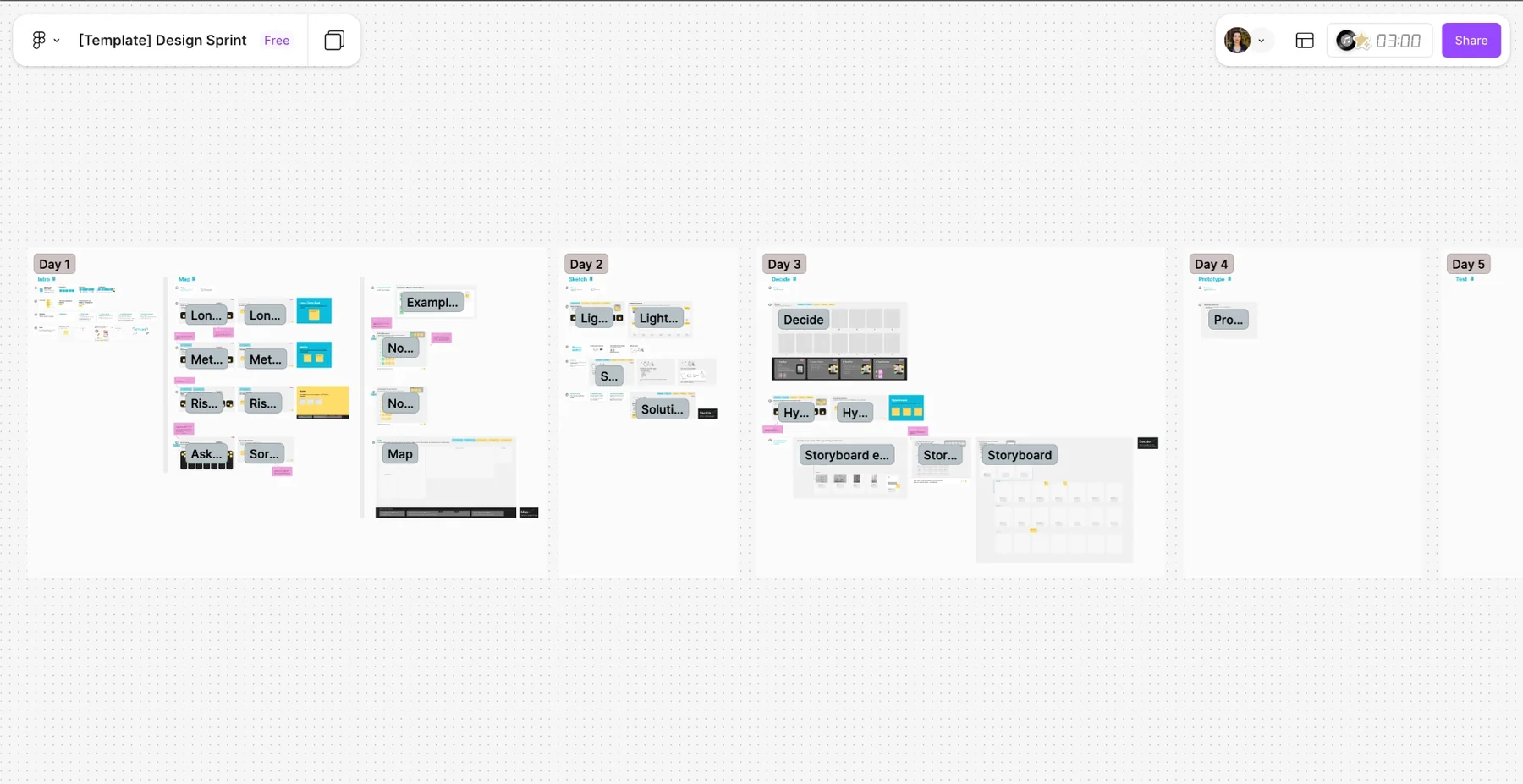
We ran a couple of customized Design Sprint workshops, but also created completely custom ones that served a specific team and a specific challenge. We used workshop formats for team bonding, project kick-offs, retros, ideation, alignment and decision making.
Design principles
We created these principles during a workshop together as a team, to make decisions easier, so nobody had to wait for me to be in the room or for the whole team to gather.
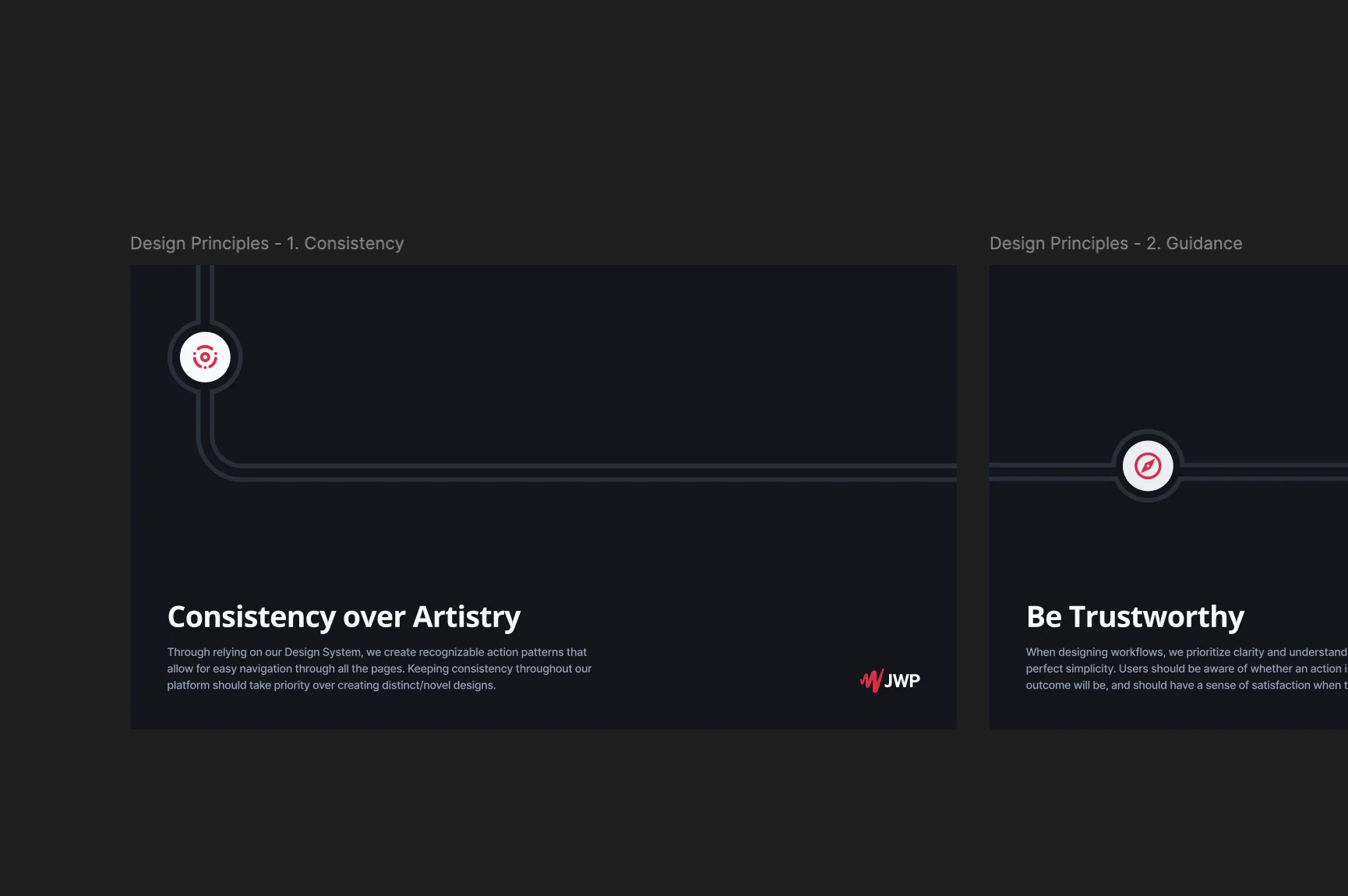
- Consistency over artistry. Through relying on our design system, we create recognizable action patterns that allow for easy navigation through all the pages. Keeping consistency throughout our platform should take priority over creating distinct/novel designs.
- Be trustworthy. When designing workflows, we prioritize clarity and understandability over striving for perfect simplicity. Users should be aware of whether an action is reversible, what the outcome will be, and should have a sense of satisfaction when they complete a task.
- Engaged viewers, successful customers. Viewers should also have an enjoyable, accessible, and seamless experience across devices and platforms, which drives positive outcomes for our customers.
- Active guidance. Clear, conversational and self-explanatory interface that guides the customers through complex user flows without doubts and reaching out for support. They should always know where to start, what is their current state and what they should do next.
- Design for scale. Design solutions while thinking about all the ways they could impact existing workflows and accommodate future platform and business growth.
- Learn fast, iterate smarter. We start small and move quickly - experimenting, prototyping, and testing early to uncover what works. By challenging assumptions, bringing everyone to the table and using data to inform our decisions, we reduce risk and continuously improve.
Leading through AI
As AI tools became part of everyday workflows, we began building helpers within the design team at JWX as well. We created a “UI copy” skill that reviews Figma designs, started using AI in research to analyze and categorize recordings and documents, and tried different prototyping tools and evaluated their capabilities, from Figma Make, Lovable and MagicPath up to Claude Code. We also improved the documentation with design decisions, layout and component usage guidelines and principles, so AI-assisted frontend development with the design system works better for engineers.
One of these experiments is described in Prototyping with AI that knows the product, and I also wrote about it in “A design leader’s notes from the AI train” on Medium ↗
Across my teams
Learning and culture
It was important to cultivate a culture of curiosity and learning, because those are some of the most important character traits of a designer. We had an education budget and encouraged everyone to use it: go to conferences, take courses, and simply be open to learning new things. What people learned came back to the team through internal presentations on seminars and conferences, and in the weekly meetings.
Growth and career paths
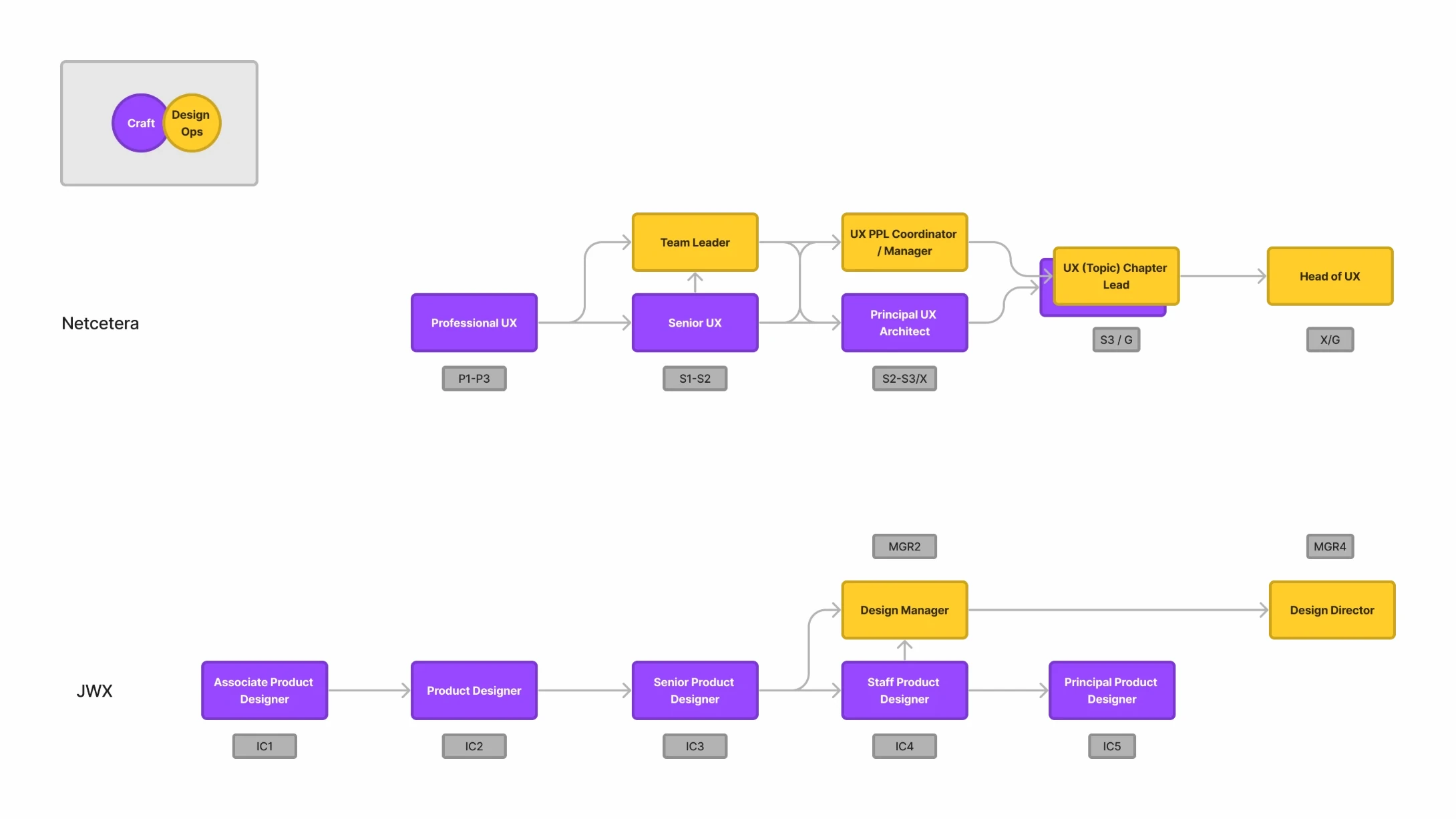
At Netcetera, line management was a predetermined step in the career path. I figured that for designers it made more sense for the paths to split at some point into an individual contributor track, around craft, and a managerial track, around DesignOps. This was just an idea and hard to implement, so by the time I left, all team leaders also worked as individual contributors.
At JWX the team was too small for a managerial line, so apart from me, everyone grew along the individual contributor levels, on career paths I created based on the engineering and product tracks that the HR team had created before. Over four years, two designers were promoted from Product Designer to Senior Product Designer, and two from Senior to Staff.
Relationships
I try to establish both professional and personal relationships with my team. This sometimes comes at the cost of difficult and emotionally draining challenges, but it’s totally worth it - I wouldn’t change it for anything. The team’s satisfaction with how I ran the team, and with how we worked as a unit, was always high, and we built mutual respect and trust, so I’d be happy to work with any of them again in the future.