JWX customer dashboard: easier to use and to build on
My role: I worked on the JWX customer dashboard, a B2B SaaS product for publishers and broadcasters, across product design, UX architecture, design management, and product management.
My contribution: improving its information architecture, design system, core workflows and overall product design direction while helping teams ship consistently.
The JWX customer dashboard unites the products that came through the InPlayer and Augie acquisitions and the Connatix merger with the existing functionality, into one experience for publishers and broadcasters. It brings together the configuration of their products: from managing video libraries, live streams, and AI video generation to configuring players, apps, monetization, and analytics. My focus was to establish foundations that would make the dashboard easier for customers to use and easier for product teams to extend.
Where it started
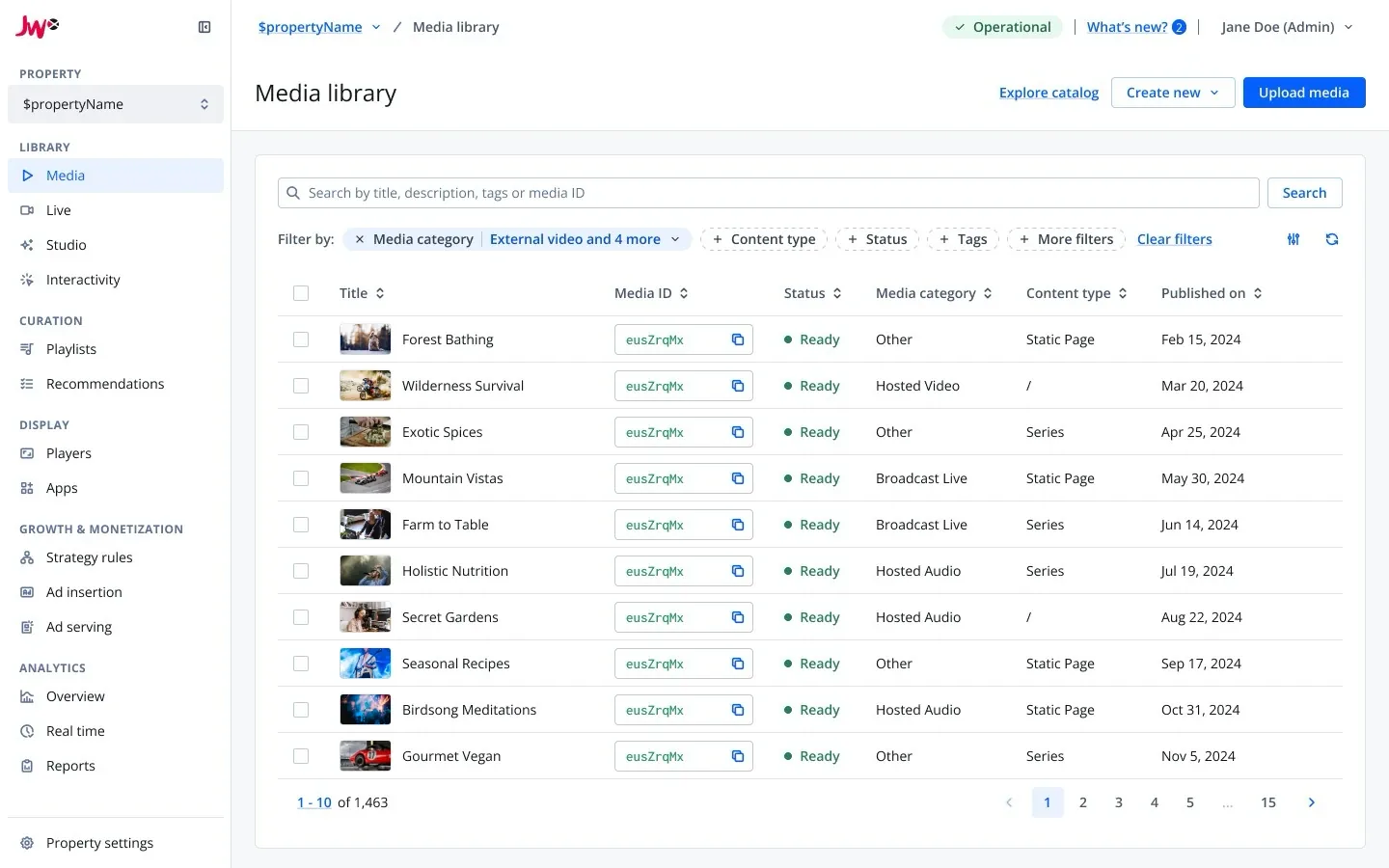
After JW Player acquired InPlayer, I took responsibility for the designers in the USA alongside my team in Macedonia. Following the merger with Connatix, the design team in Romania joined as well.
Together, we inherited a dashboard that had grown feature by feature, without a consistent information architecture or interaction language. We set out to redesign it around a tokenized design system while product teams continued shipping new integrations.
Highlights
Reorganizing the dashboard around customer workflows
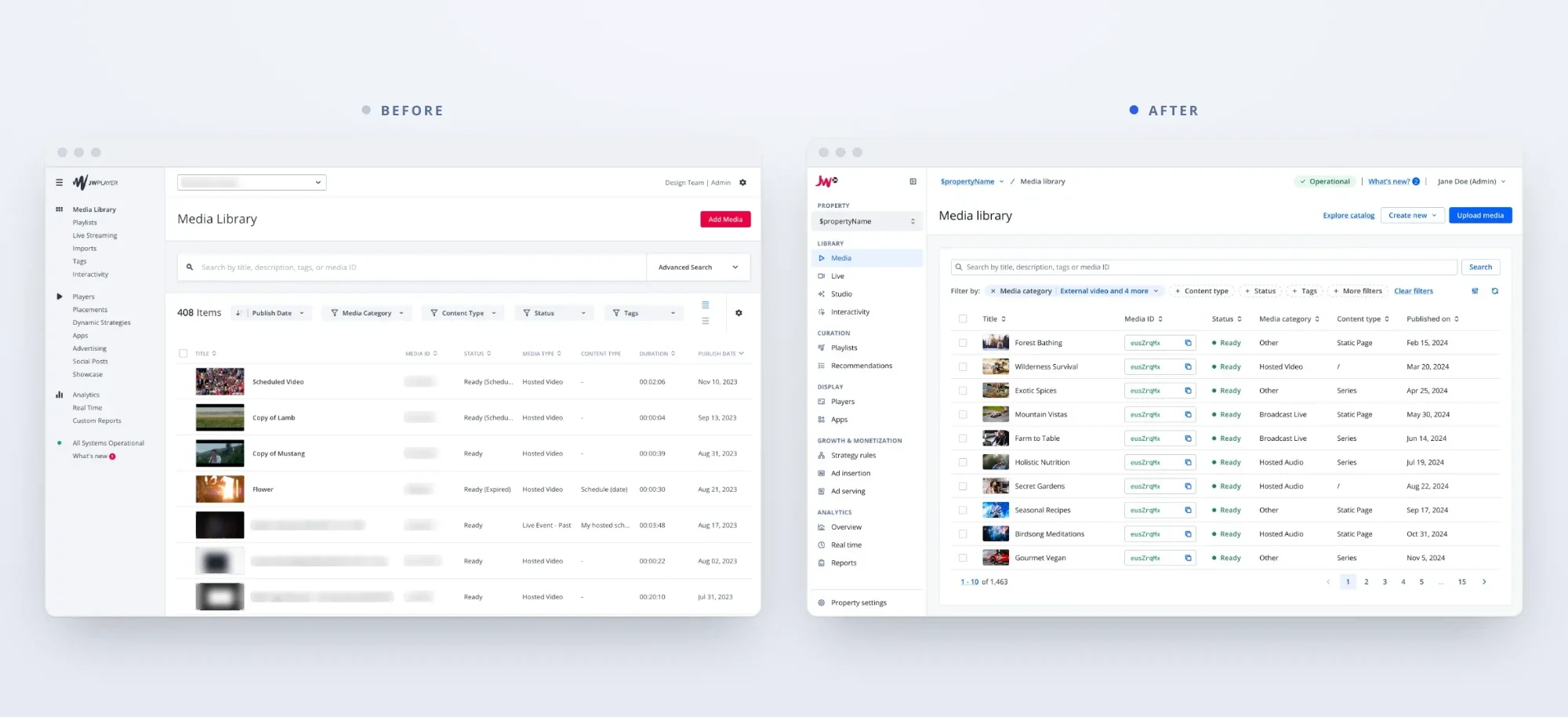
The navigation had grown without a plan, with new features stuffed into whichever group already existed. Through user research, using techniques like affinity mapping, card sorting and tree testing, I rebuilt the information architecture, along with user permissions and entitlements (more on Medium ↗).
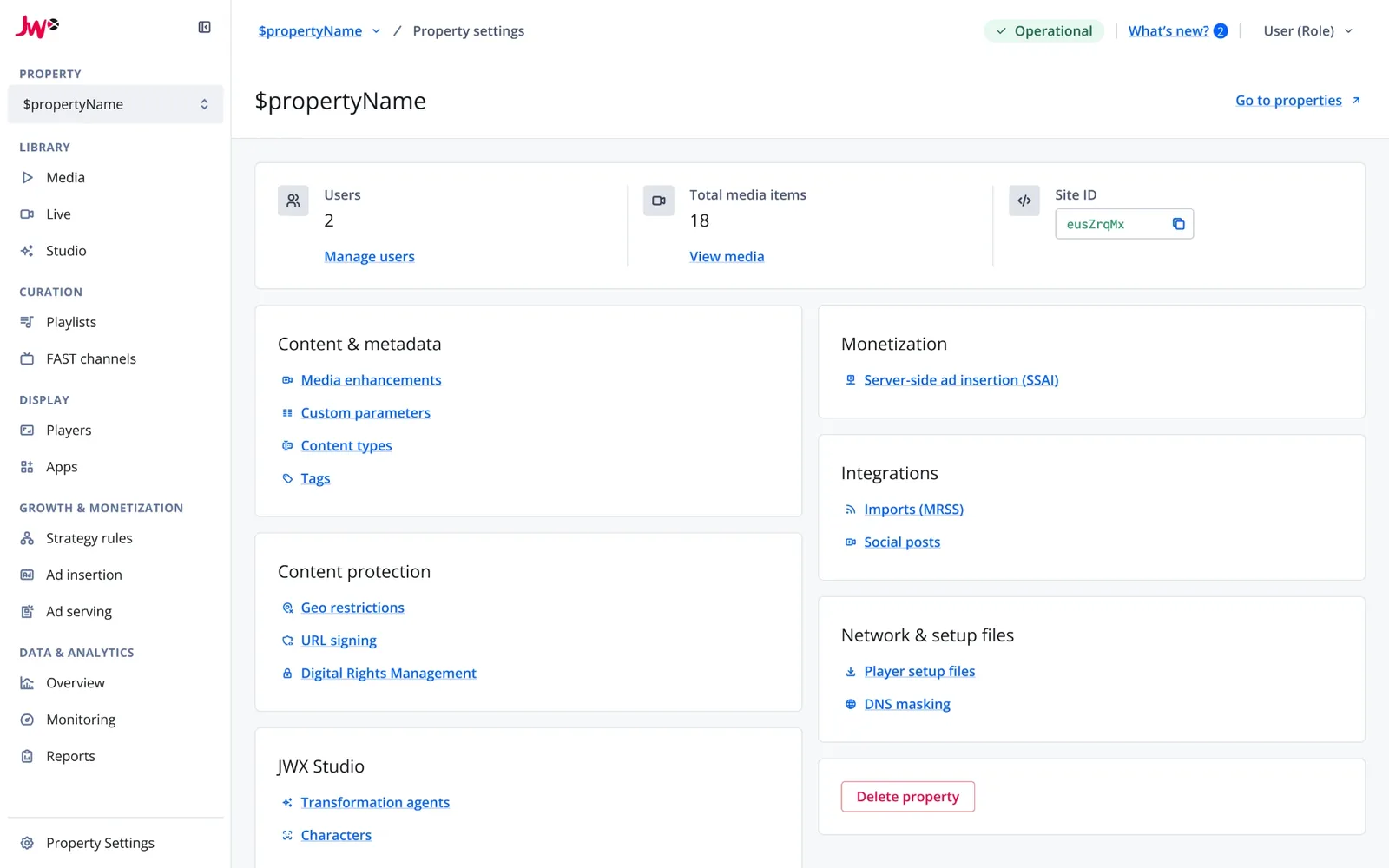
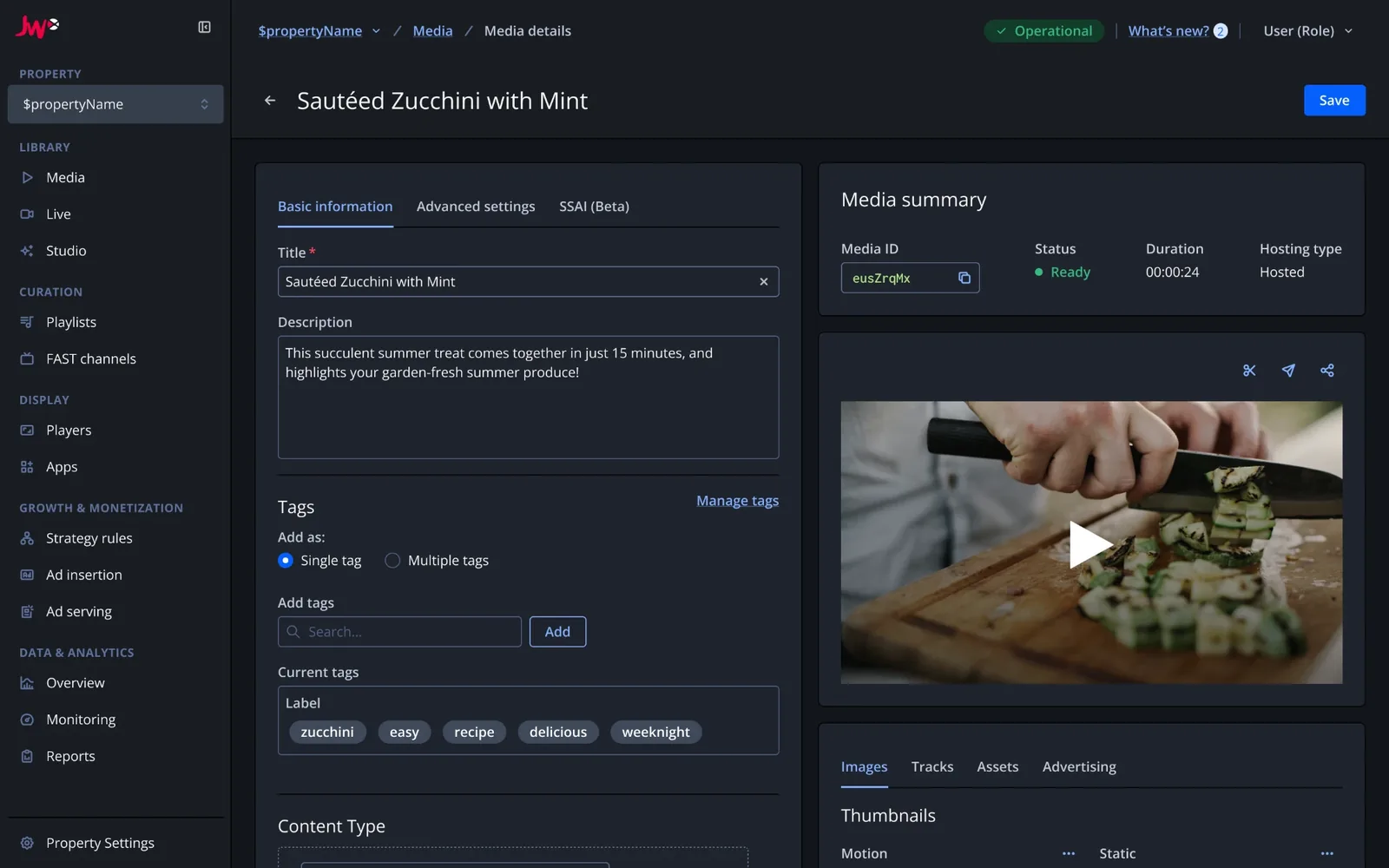
The new navigation is organized around customer workflows: library, curation, display, growth and monetization, and data and analytics. A dedicated Property settings page also gives customers one place to manage a property’s configuration.
Overhauling the design system
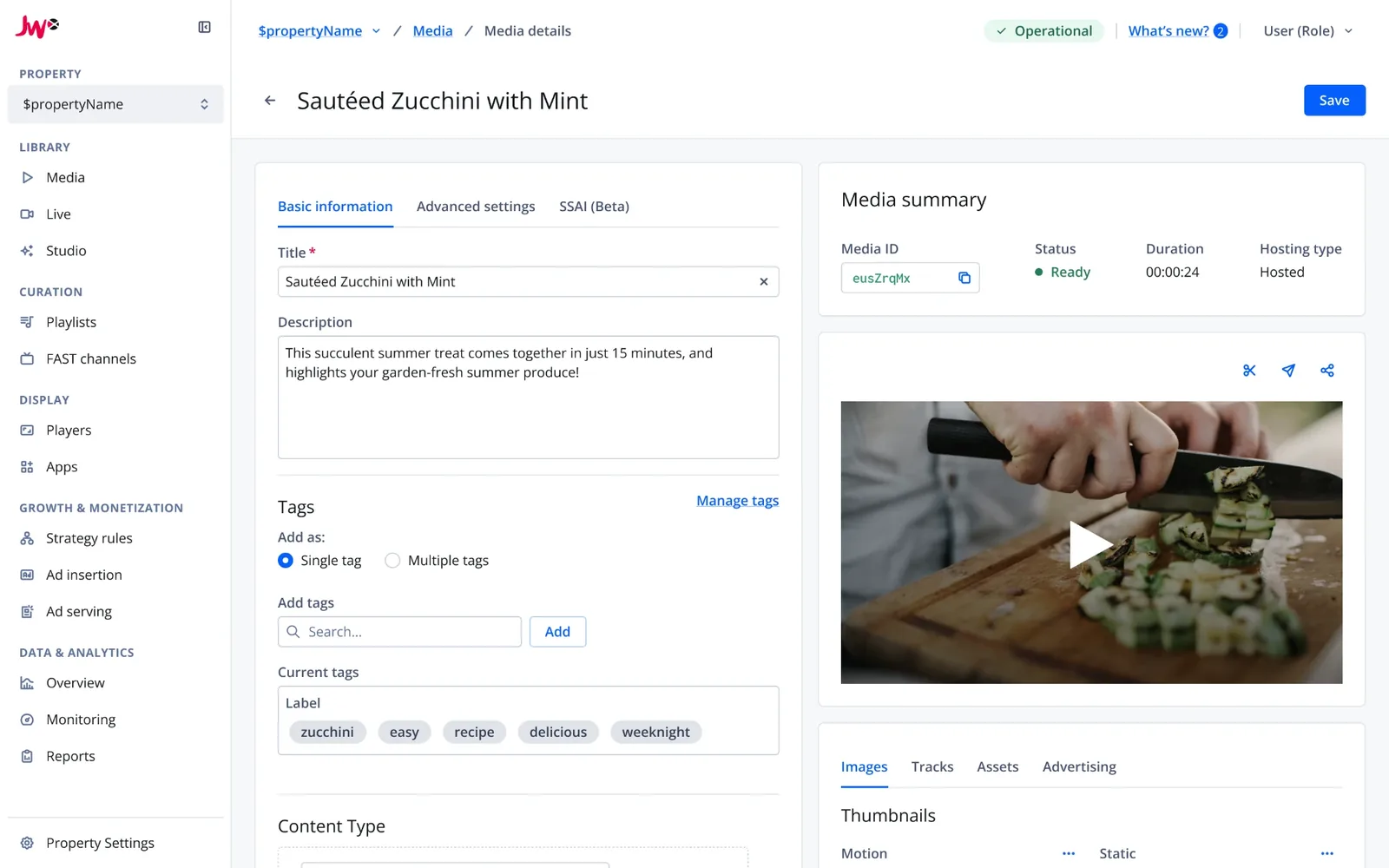
The dashboard needed a shared foundation that could support multiple product teams without sacrificing accessibility or consistency.
We overhauled the whole design system (more on Medium ↗), improving accessibility and the use of coded components across the dashboard. All product teams adopted it, which made design handoff and frontend implementation faster. The whole story, on how I’ve learned my lessons throughout the years to build from a pattern library to design systems, is on my design systems page.
Light
Dark
Usage that matches the contract
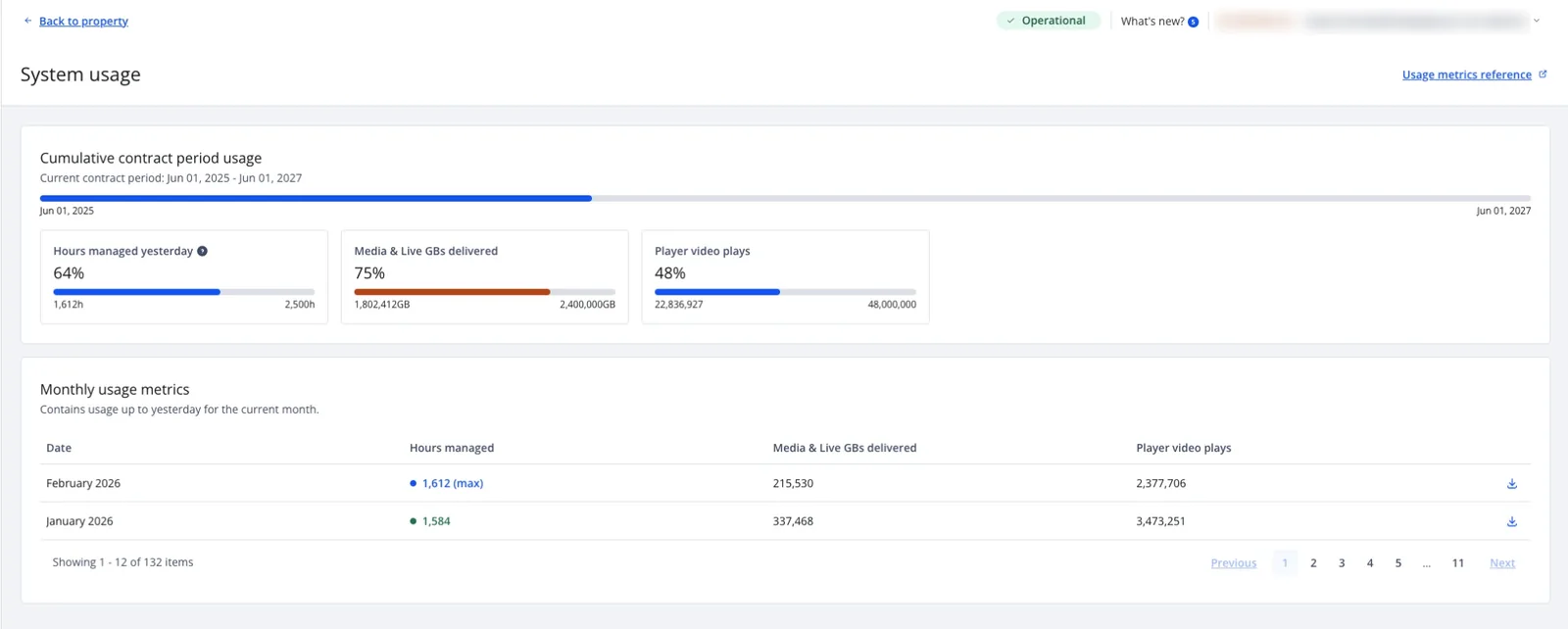
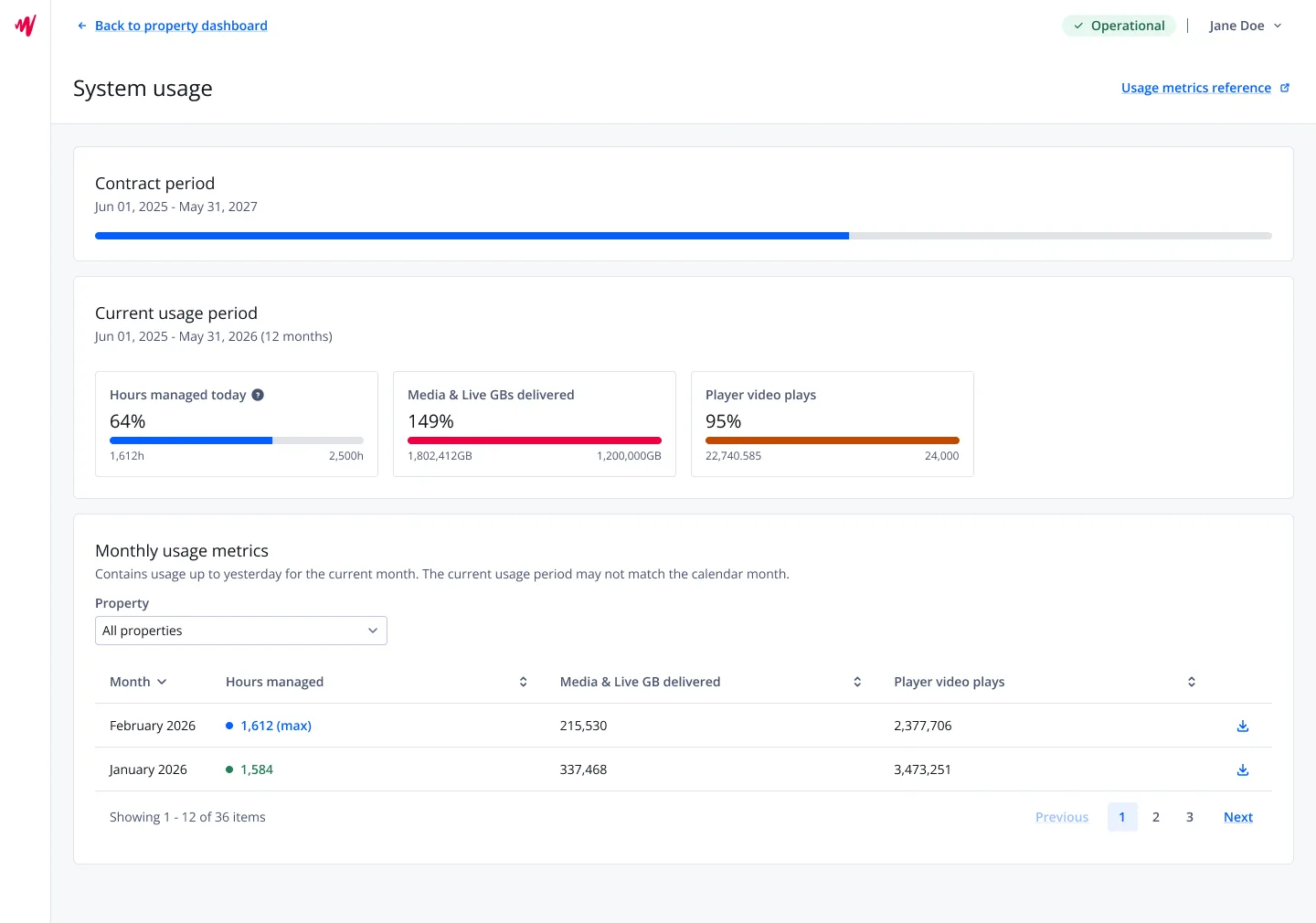
The old usage page showed monthly totals without showing how they related to a customer’s contract. Our first redesign still displayed cumulative yearly usage, so it did not answer the question customers actually had: “How much of my contracted usage have I consumed?”
As product manager, I worked with Revenue Operations and Account Management to align the experience with customer contracts. I kept the scope to the question customers actually had, aligning the data with their contract instead of redesigning the UI. The new page shows the current contract period, consumption against each contracted limit, overages, and monthly metrics by property.
The data we displayed was actually simplified and shown as it is in their contracts, and since then, support has received fewer usage-related bug tickets about data representation.
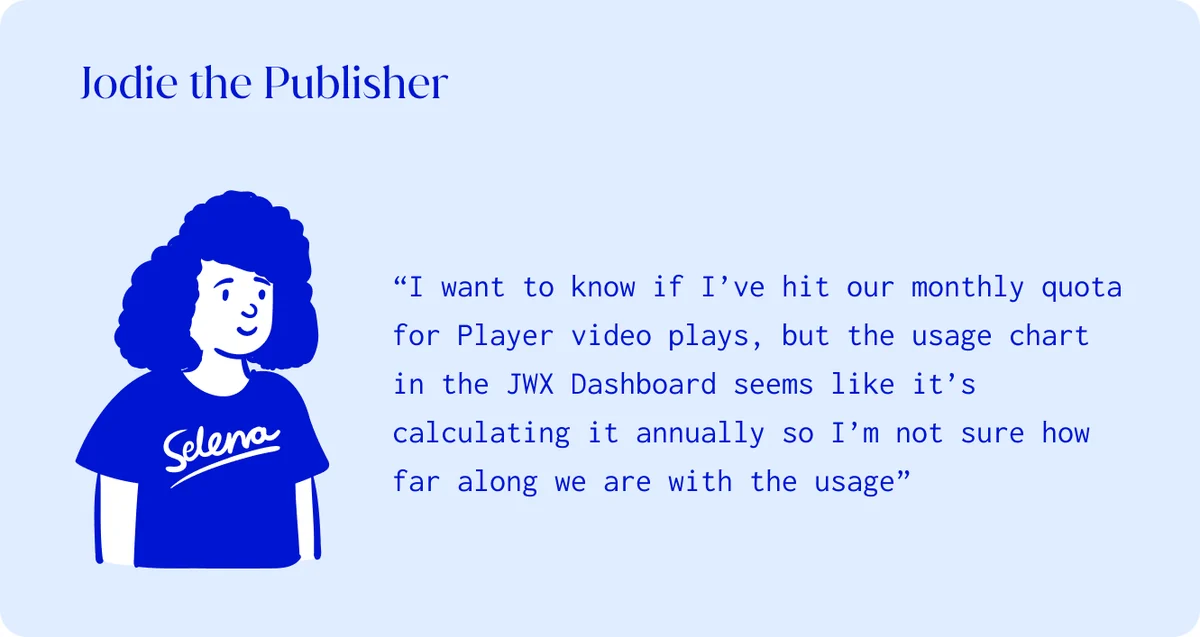
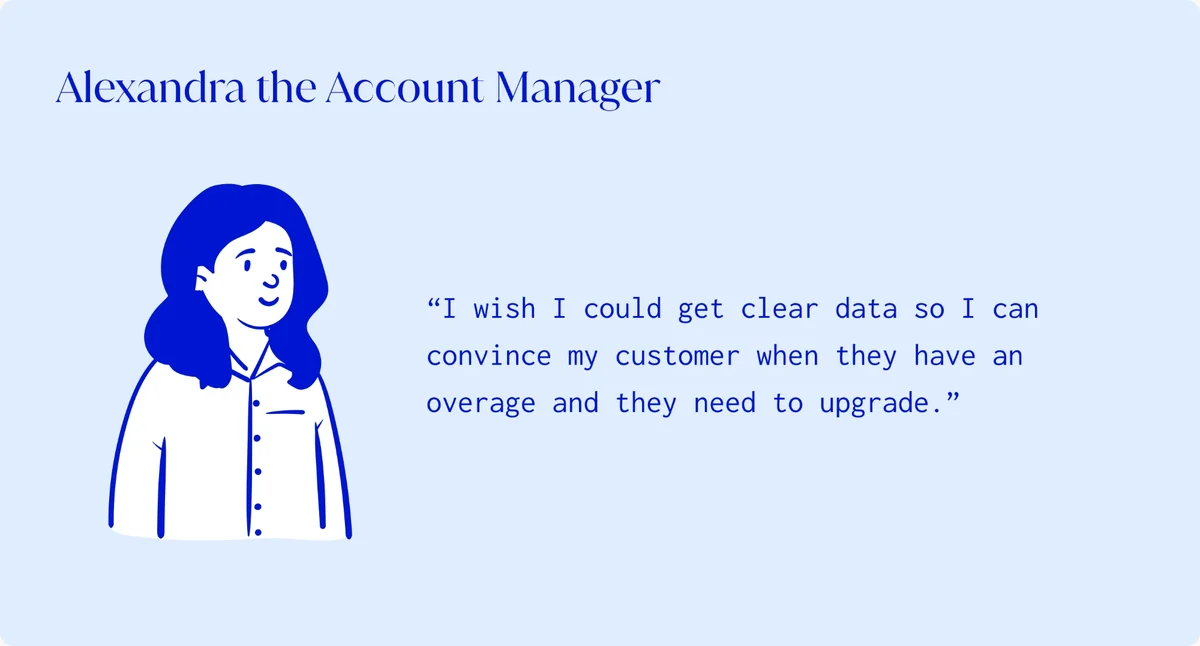
Before
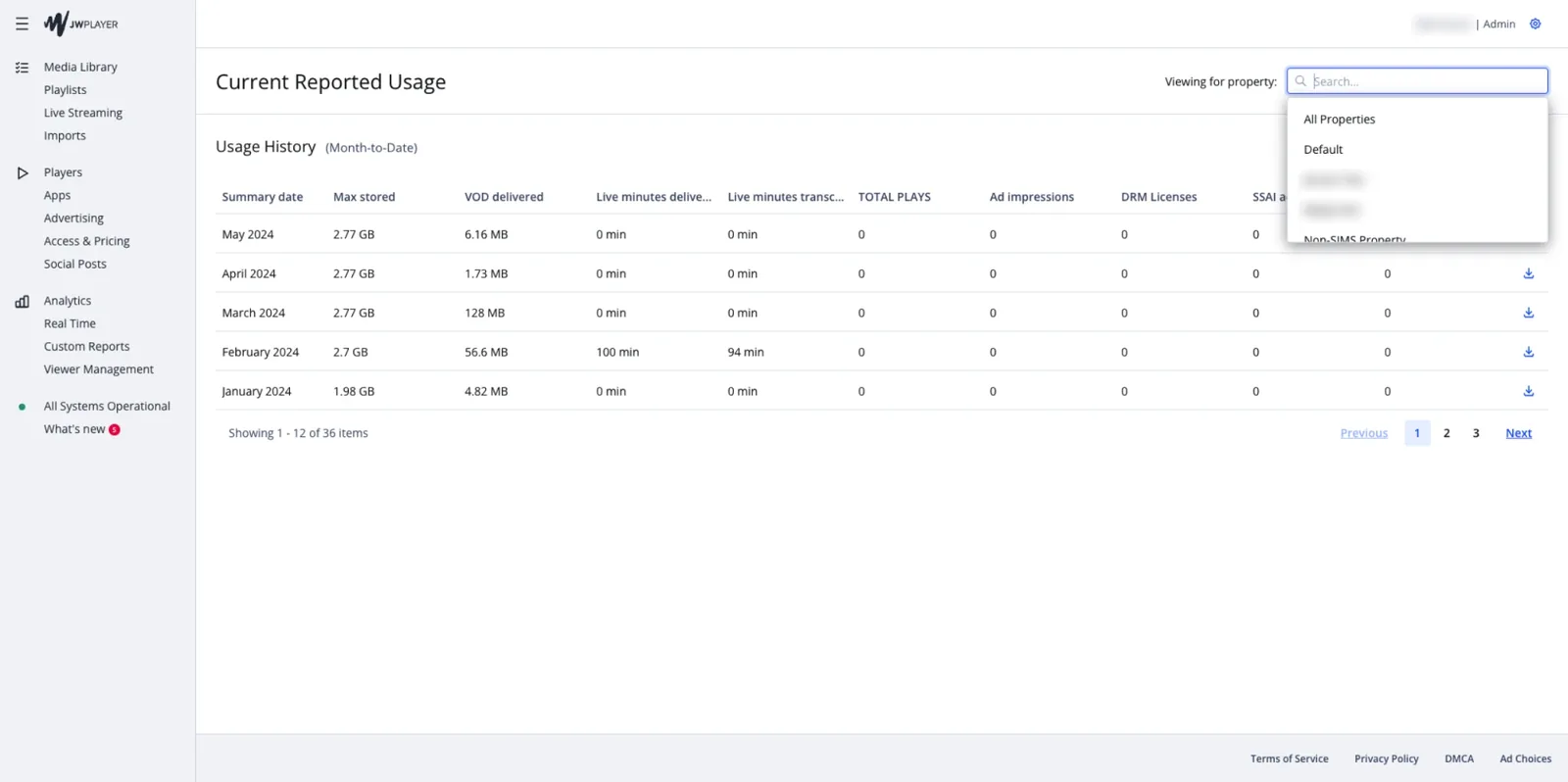
Interim
After
Mobile upload for field journalists
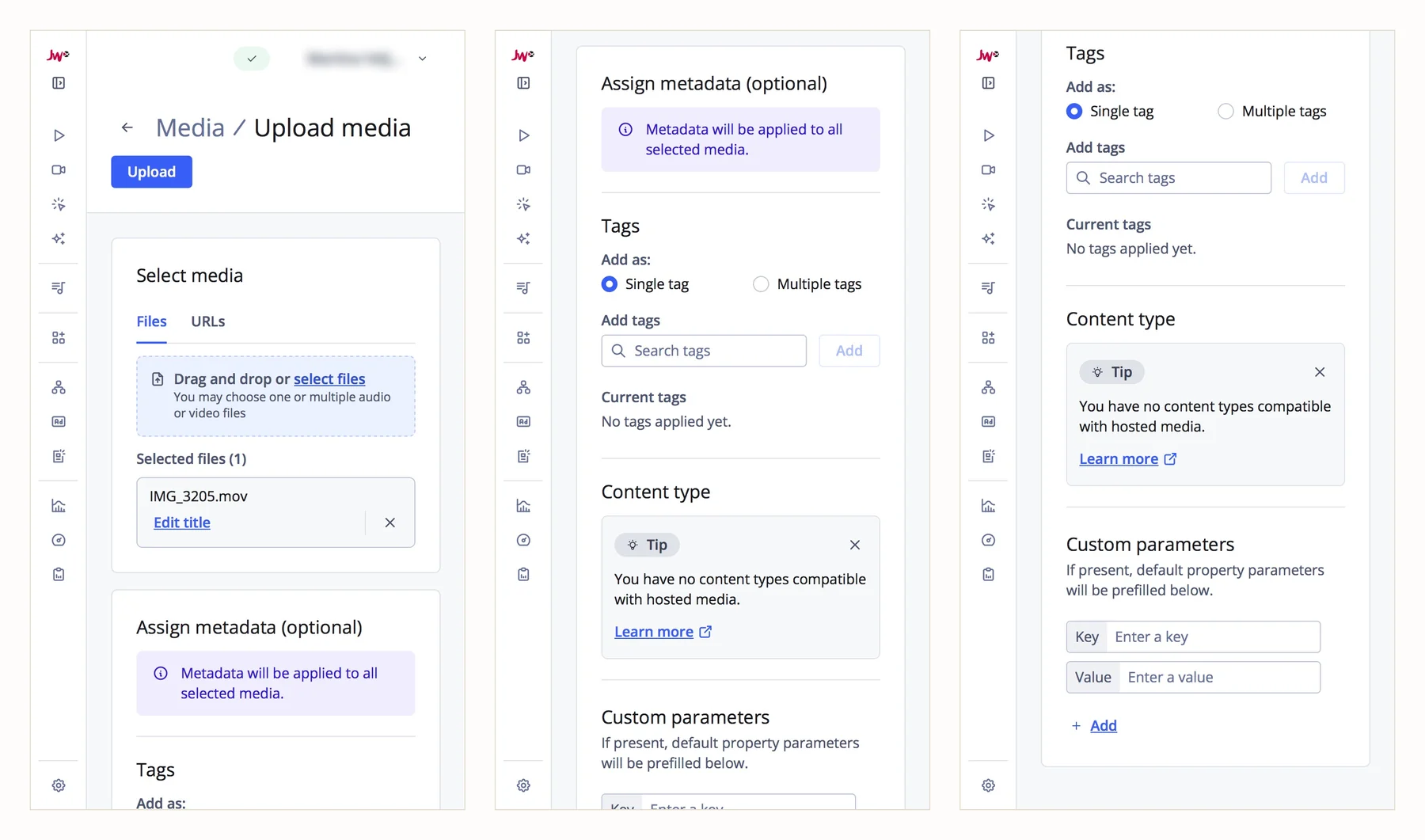
As a team, we were asked to enable authentication for a new mobile upload tool for field journalists. By talking to the customer and understanding their needs, I learned what stopped them from using the existing dashboard: on a phone, the metadata fields shrank so much that they couldn’t enter any values. That changed the scope: we didn’t need to build a new tool. The existing dashboard could be adjusted to a mobile-friendly upload flow, because our design system refactoring had made all the components responsive.
Even though the page would still need more adjustments for proper responsiveness, like completely removing the side navigation, it still unblocked the customer’s journalists. They could now upload videos from their phones, with only two to three weeks of one engineer’s work.
Exploring a new player experience
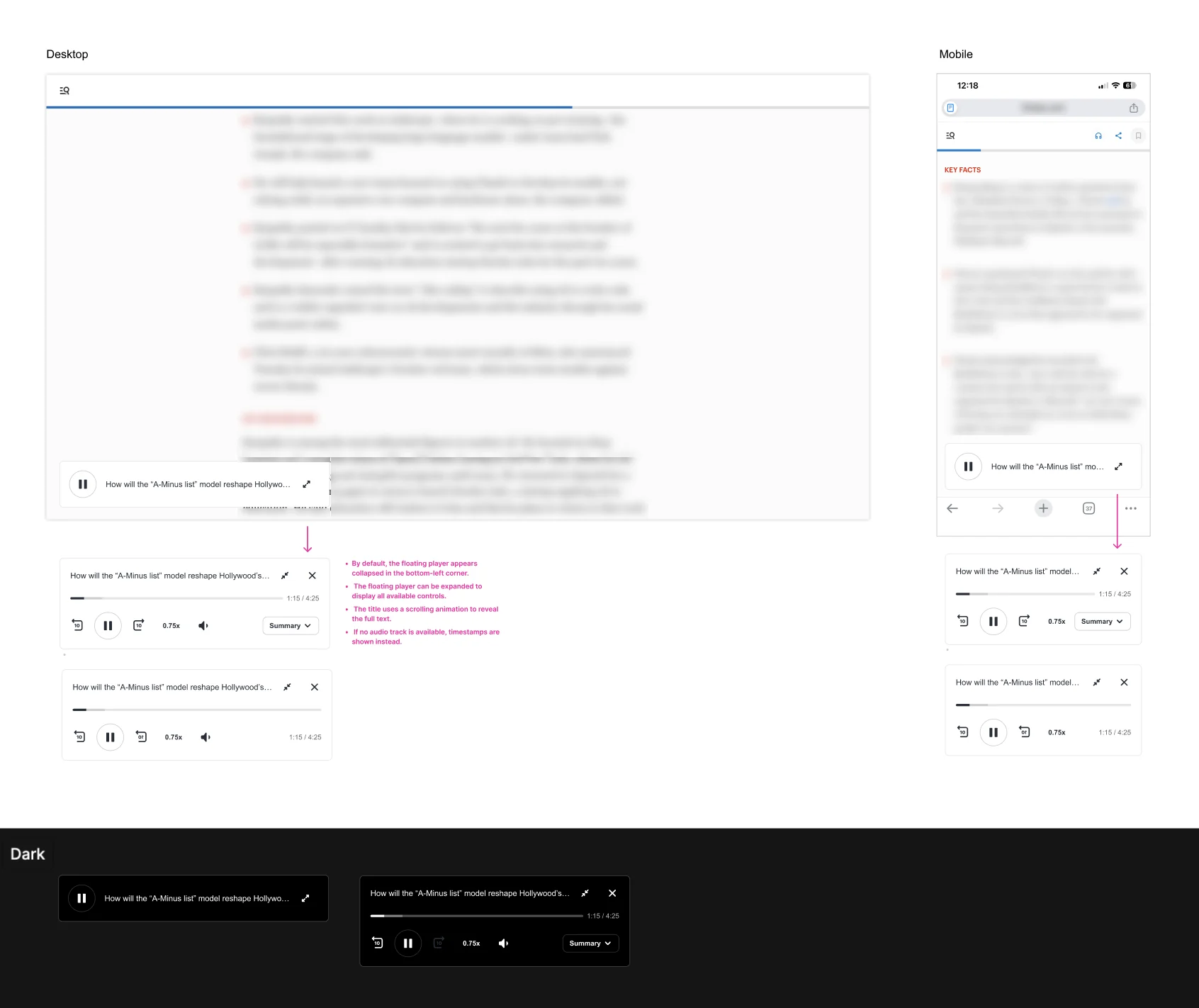
We were experimenting with new user experiences for publishers, and I realized that our player already plays audio files, but needed a lot of styling customization to make it more optimal, such as hiding the thumbnail and adapting the controls. So I figured that we could just offer an audio player out of the box, as most publishers already had audio read-outs.
With the team, we shaped it into a relatively low-effort opportunity to extend the product experience. The team suggested a way to fetch the content of the article automatically, using our Strategy Rules feature, and to create a new flow in our Studio transformation products so that content editors could approve the read-outs. We found a customer who was willing to build and test the feature with us, and already had them using it as a beta product.
This exploration also initiated a broader design system for the classic, audio, and vertical video players, with Raluca Timoc as lead designer.
Contributions by role
As a Product designer and UX architect
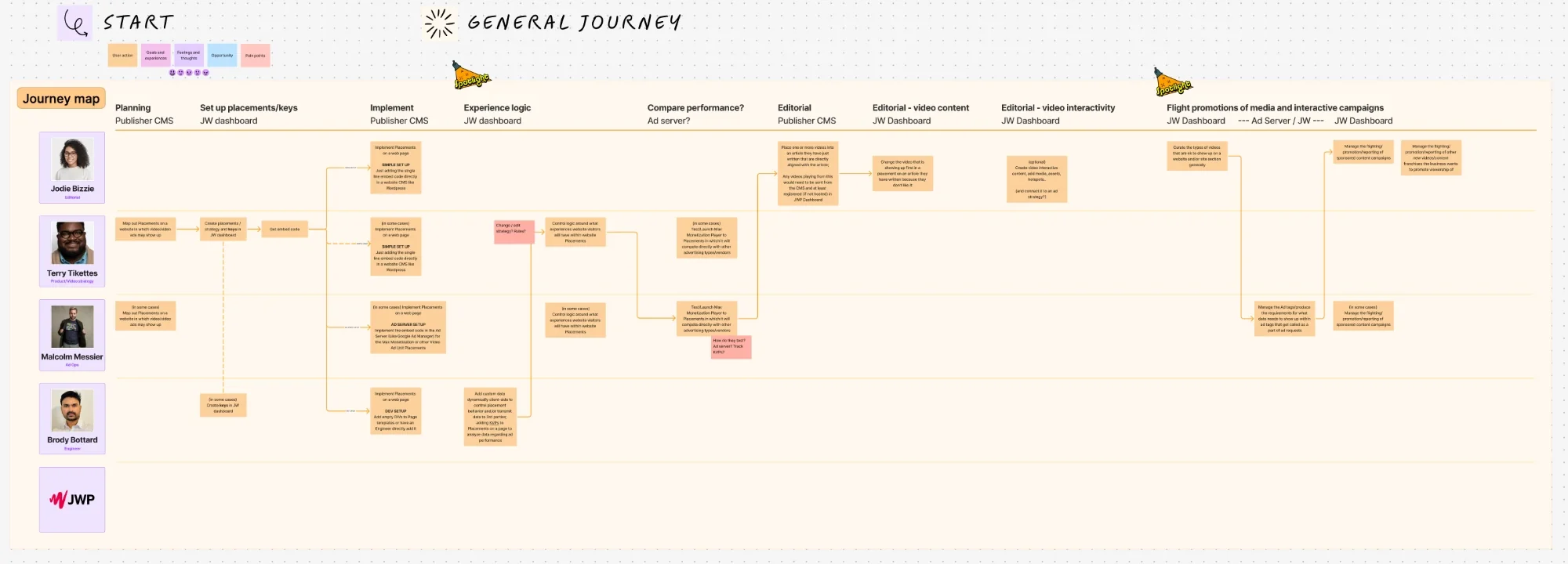
- Established the UX research and design practice: user research, usability testing, personas, journey maps and rapid prototyping with Figma and Claude Code
- Built design-system assets, templates, patterns, documentation and workshops that helped teams design more consistently
- Ran customer interviews and usability tests on prototypes
- Created customer journey maps to better understand customer needs
- Improved the experience for large reseller accounts by introducing patterns that improved performance
- Re-architected Strategy Rules and led prioritization around the workflows most likely to increase adoption. The work is in progress
- Guided and mentored the teams through their own projects and integrations
Tools we used: Figma, FigJam, Notion, and Claude Code.
As a Design manager
I led the design team through an acquisition and a merger, from one designer per product team to designers covering several teams as the team got smaller. How the team was organized, its rituals, templates, design principles and career paths are on my design leadership page.
As the Product manager of the dashboard
Product direction
- Defined goals and priorities for core dashboard functionality
- Took ownership of email notifications through webhooks as product owner and designer
- Improved the login flow and removed unnecessary clutter
- Improved the internal admin portal for our finance and customer success teams
Cross-functional delivery
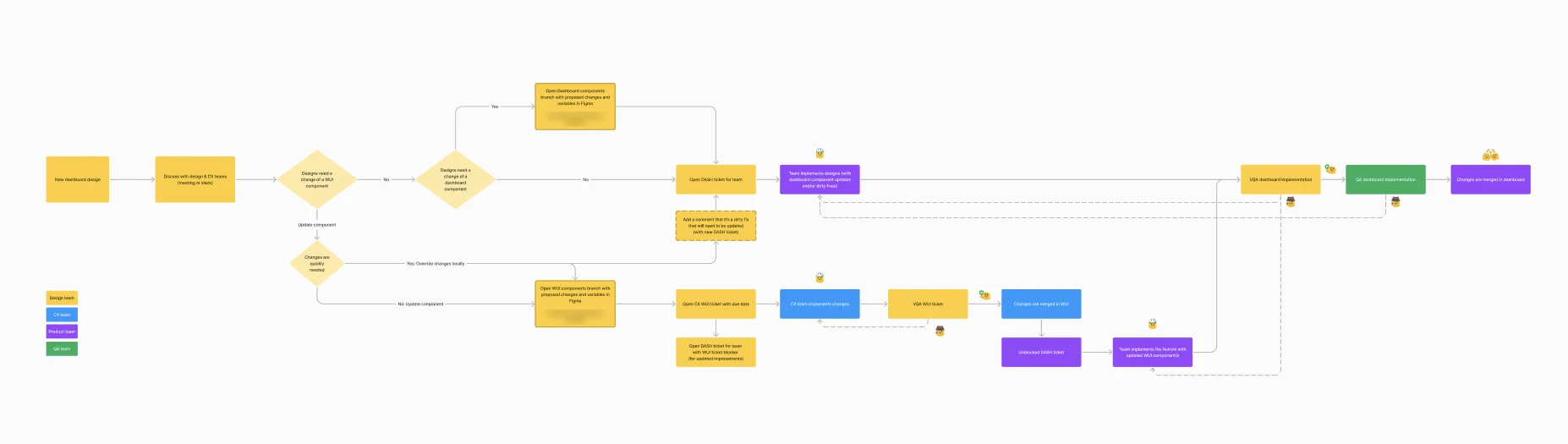
- Improved the handoff between design and engineering
- Kept product, engineering, and customer-facing teams aligned on goals and interface patterns
- Communicated dashboard changes clearly to internal teams and customer support
- Worked with technical writers to prepare documentation artifacts
Team enablement
- Onboarded designers and frontend engineers
- Created clearer processes for turning design decisions into shippable product work
Looking back
Working on the dashboard confirmed that consistency is a team effort. The design system, shared principles, documented design decisions, and handoff process mattered as much as any individual screen because they enabled teams to keep shipping new features and adapting product integrations without the dashboard drifting apart again.
It also reinforced the value of talking to customers. Sometimes research changes the interface; sometimes it changes how the problem is defined. On the usage page, the solution was to align the data with the customer’s contract rather than redesign the UI. For mobile uploads, responsive components allowed us to bring an existing workflow to field journalists in two to three weeks. Good research leads to clearer user stories, which lead to simpler solutions that are easier to build and maintain.