Self-serving onboarding for content creators
InPlayer’s customers were onboarded by hand: demos from sales, training from account managers, then customizations from solution engineers and support. It didn’t scale. I worked on a flow that would let small customers, content creators, sign up and set up their own content and monetization.
My role: I worked hands-on on the flows, the prototype, and usability testings with customers, and I initiated and facilitated the cross-functional Design Sprint.
Understanding the problem
Interviews with sales, customer success, support and finance, and a customer journey map with a service blueprint (started by Mihaela and Matej), showed a robust, manual process that took many people’s time. Our CPO, Edit Kovacs, kept repeating the goal until it became our North Star: enable content creators to set things up in a self-served manner. “Is it self-serving?” became our daily question.
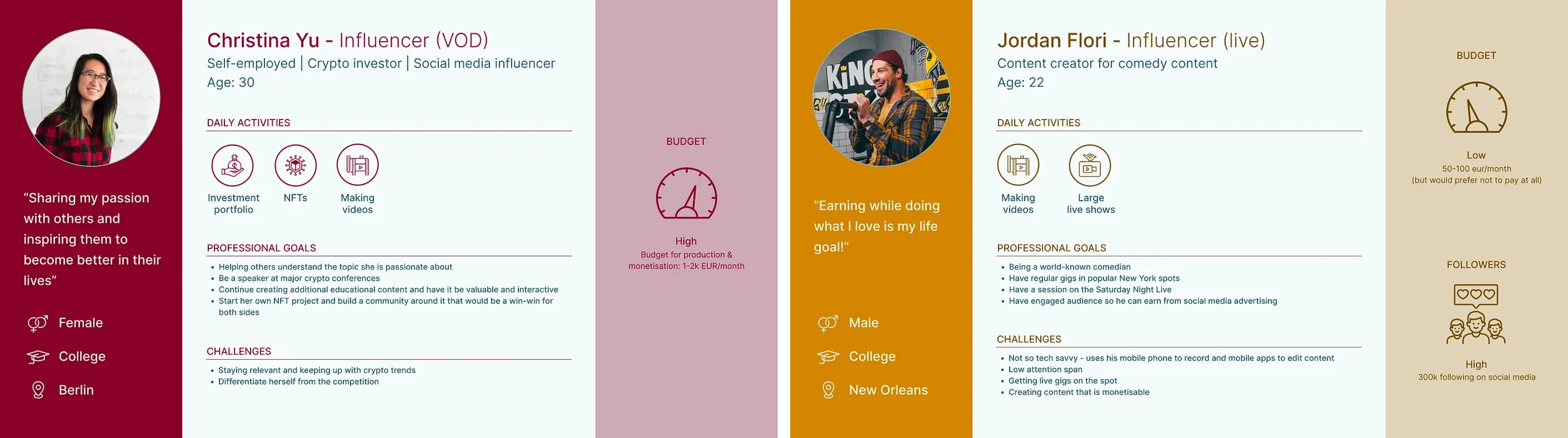
We built two personas from customer interviews: a video-on-demand creator and a live-streaming creator. Both were technical, and both were moving away from social media to their own websites, where they own the content, the rules and a larger share of the revenue.
A cross-functional Design Sprint
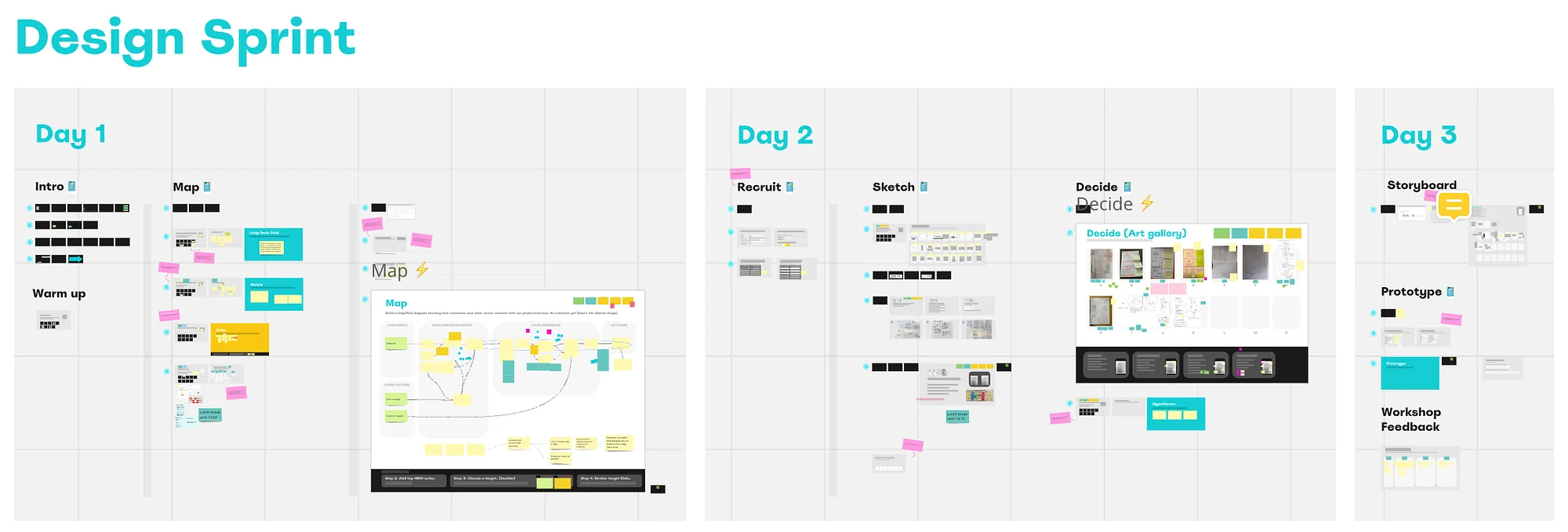
I facilitated the sprint with our CPO as the decider, a product manager, a designer, an engineer, and people from customer success, sales, support, security and finance. It gave us the first prototype and four ideas: ask for payment details during registration, ask onboarding questions, customize the onboarding steps to the answers, and customize the homepage.
What testing changed
The prototype went through seven versions, with 5 internal and 3 customer usability sessions. They showed four things we didn’t expect: customers wouldn’t pay up front, didn’t know our internal terms, didn’t notice parts of the screen, and needed explanations of what to do next.
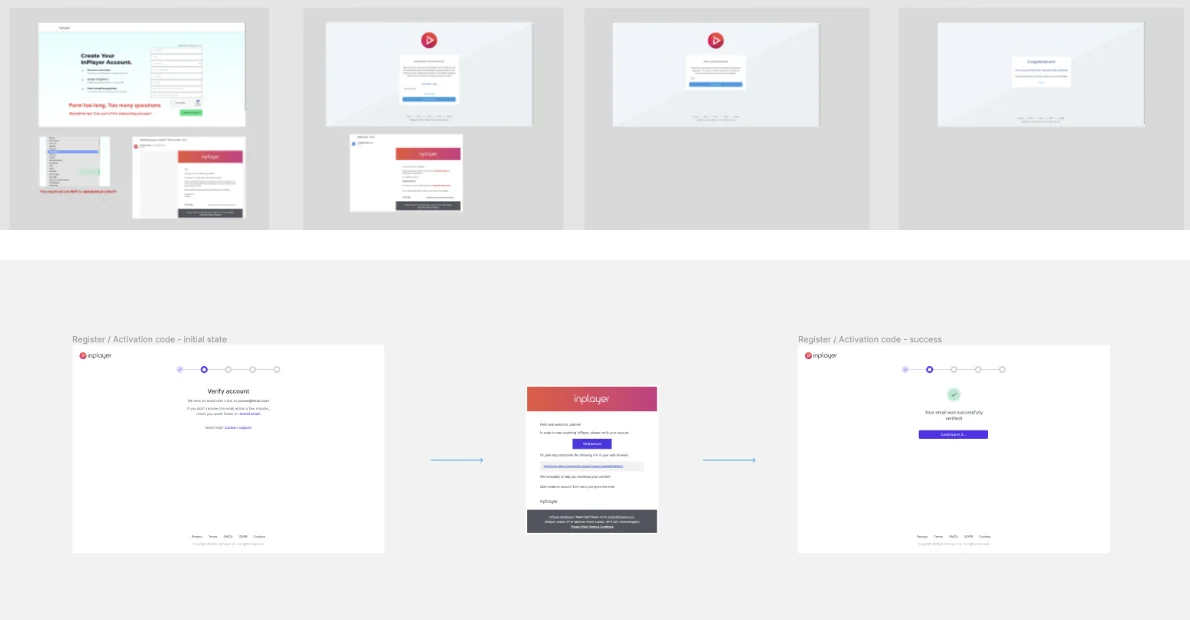
Registration, from 6 steps to 3. A magic link replaced copying a token from an email. We removed the second password field and merged two emails into one, a terms checkbox replaced signing a contract with sales, and the country list became searchable.
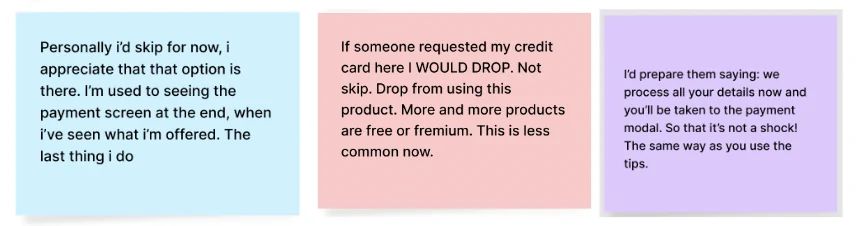
Payment details, later. Customers told us they wouldn’t enter billing details before trying the product. So we gave them trial access and asked just before they embed the code on their website, and we announced it in the last registration step so it wouldn’t be a surprise.
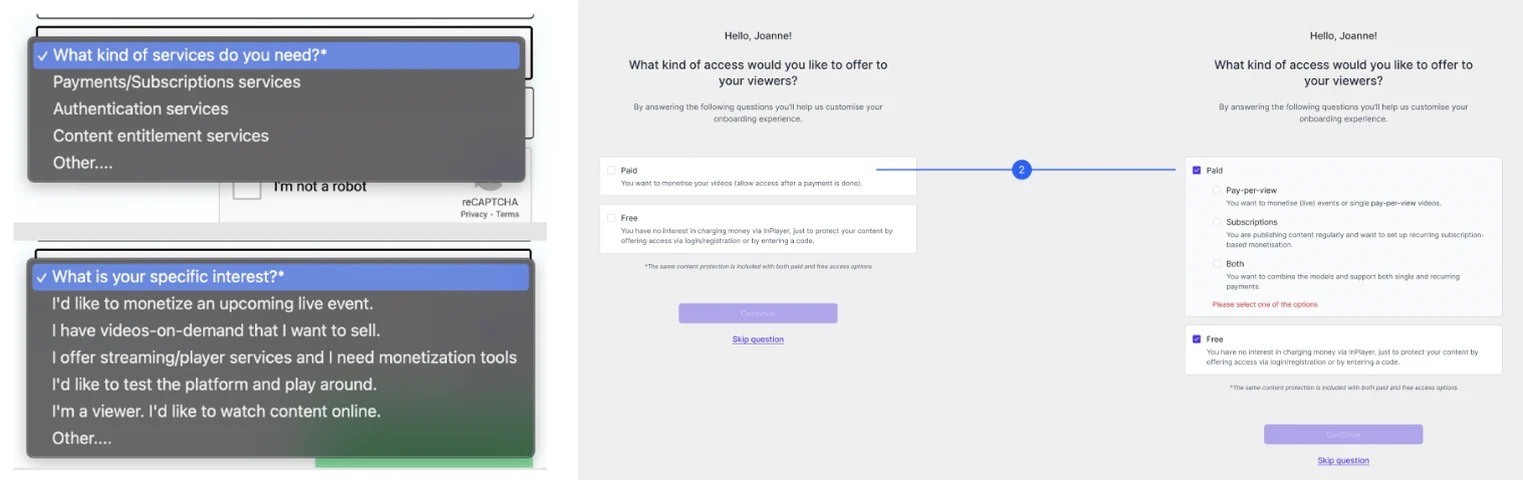
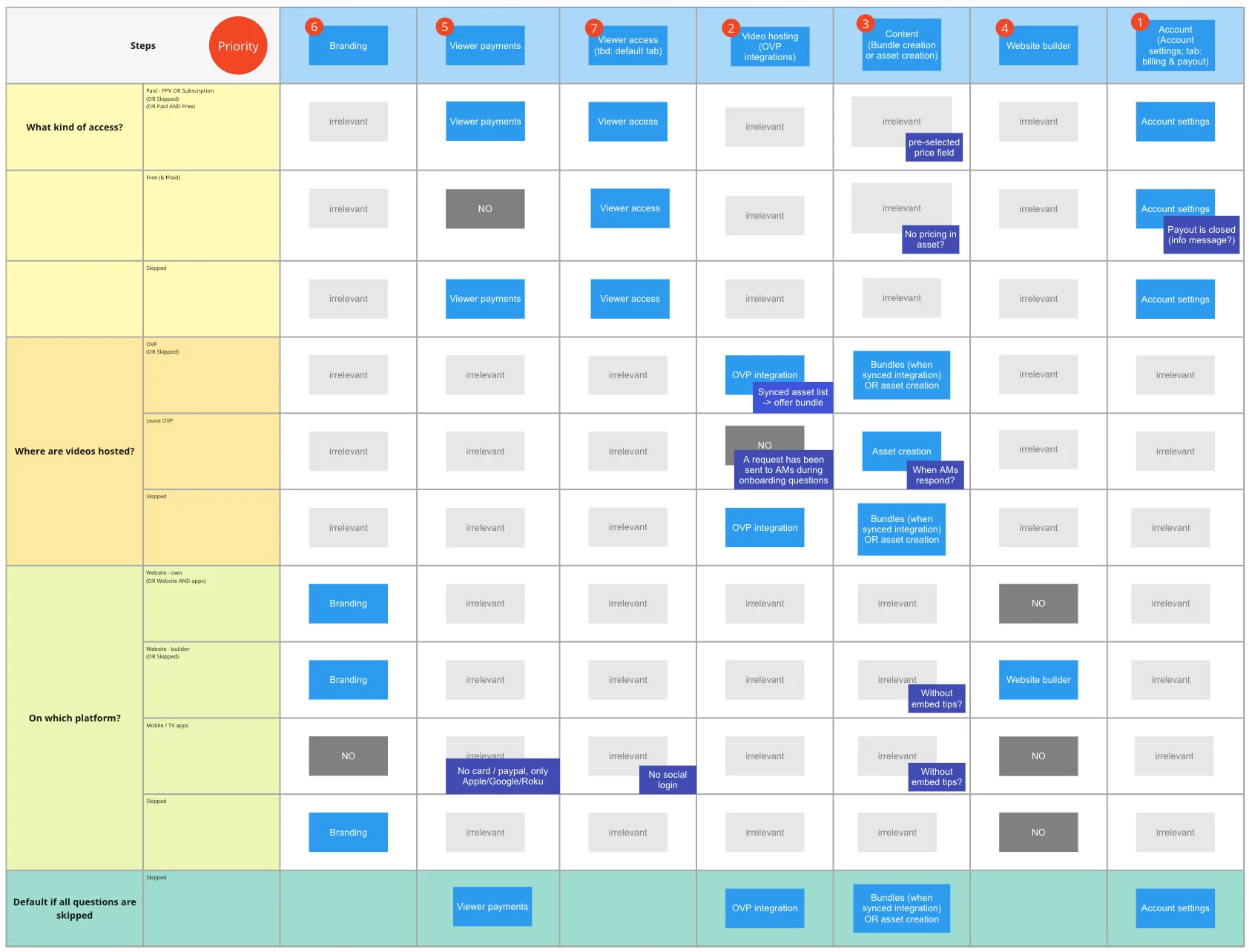
Onboarding questions. Three questions about the business model, the video platform, and web or apps. They appear one per page, with descriptions of each answer, and they can be skipped, in which case a default flow applies. The answers decide which steps to show. A full flow had up to seven steps, and when a customer would get more than four, we prioritized the most necessary ones. A matrix mapped every combination of answers to its steps.
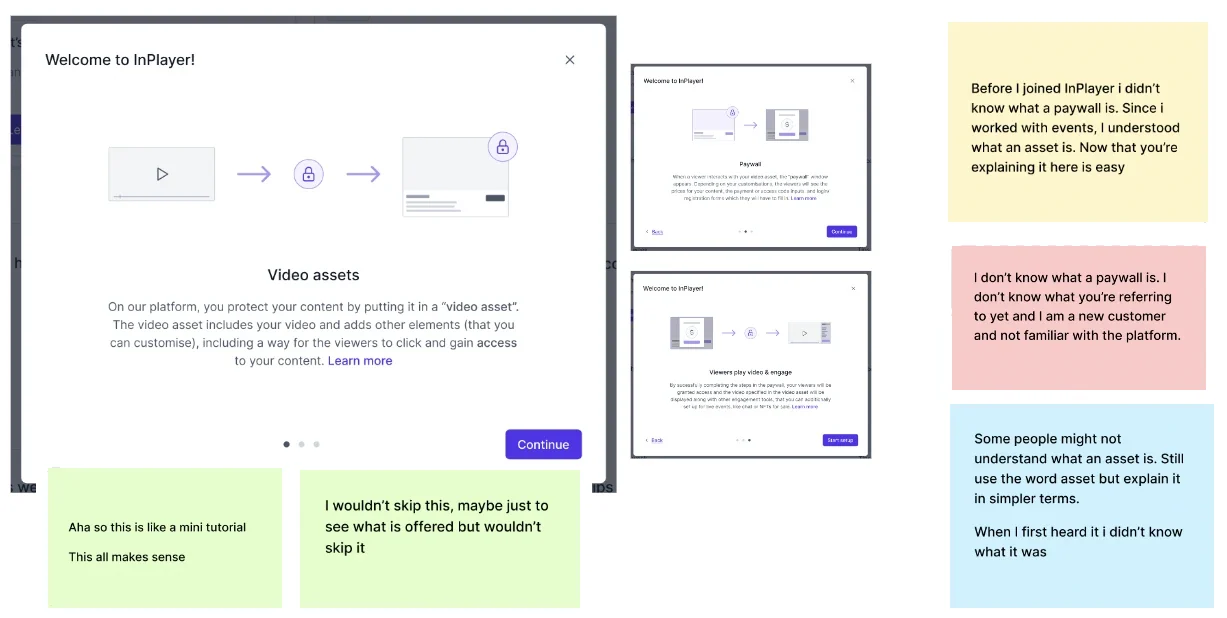
Plain terms. Customers didn’t know “assets”, “packages” or “paywall”. We renamed them “video assets” and “bundles”, the word the account managers already used, and kept “paywall”, an industry standard. A welcome modal explains the terms.
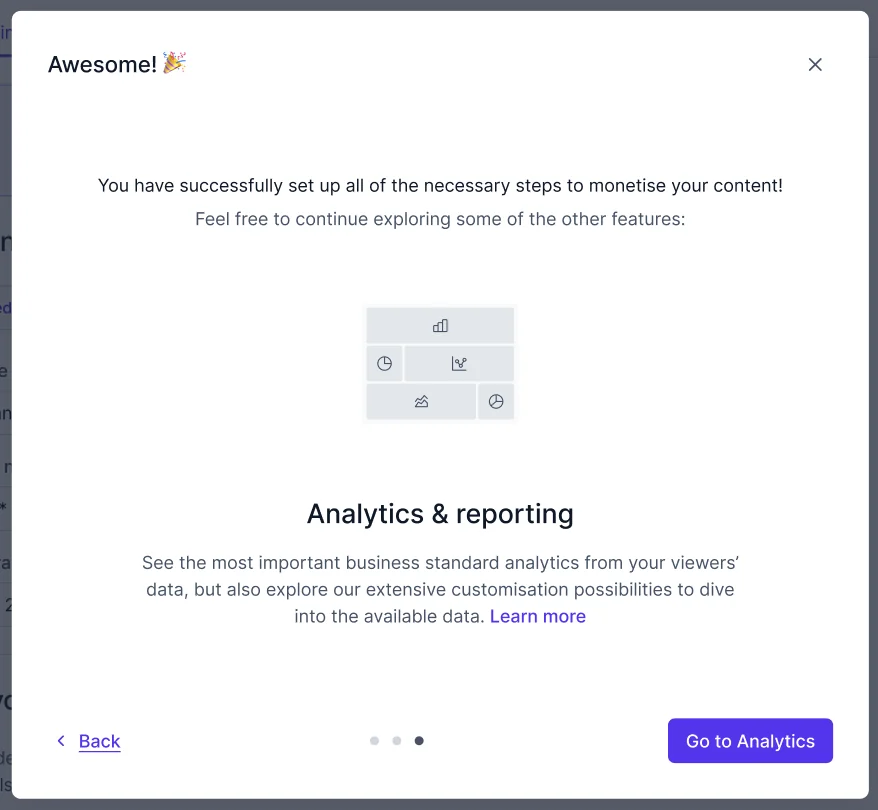
Guidance along the way. Popover tips pointed to the steps in the top navigation, inline how-tos linked to the documentation, and a “What’s next” modal at the end gave customers a sense of accomplishment and pointed them to analytics.
Handoff and outcome
Because the Core Experience team had already built the Figma and frontend components of the design system, we could put prototypes together quickly and build the frontend with the same components. The handoff document covered the content, states, steps, error handling and red lines for every scenario.
Setting up smaller customers usually took 1 to 3 weeks before an event went live. The goal was 30 minutes, with account managers’ training reduced to occasional meetings and no manual work for finance, which took 1 to 2 weeks every month. I can’t say whether we achieved it, because the product was acquired before the full release and we only onboarded customers with the beta version. Based on our usability tests with customers, and onboarding them with the beta, I’m confident we reached the self-serving goal.
Read in detail
- Crafting a self-serving onboarding experience for content creators ↗
The full case study on Medium